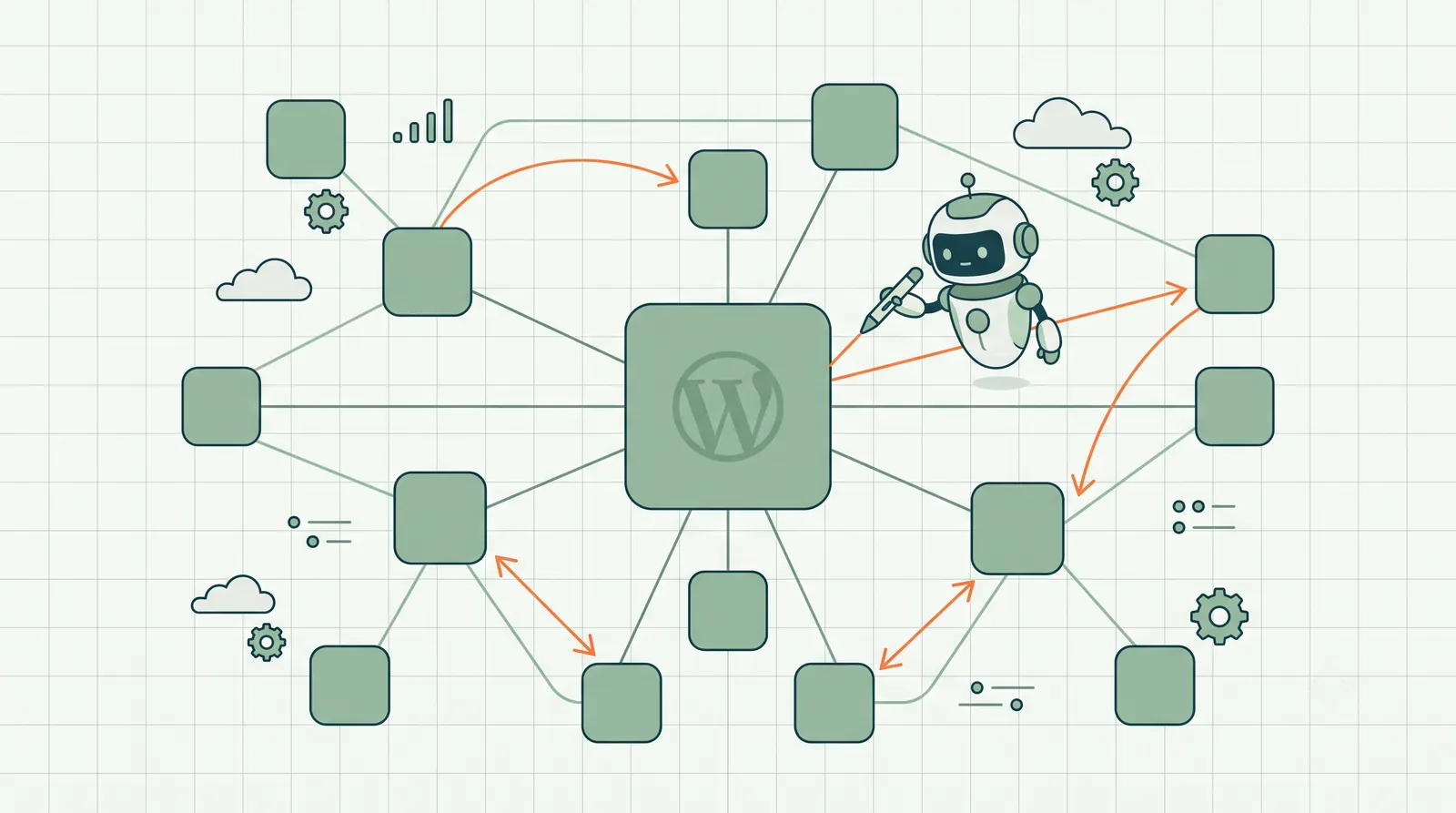
Internal linking is the most underused ranking lever on WordPress. Not because site owners do not know it matters — every SEO guide mentions it. Because it does not scale manually.
You publish a new post. You should link to it from three related older posts. You should add two outbound links to relevant pillars. You should use descriptive anchor text, not "click here." You know this. You also have 200 posts, a product catalog, and a Tuesday deadline.
So internal linking becomes something you do when you remember. Which is never.
Automating WordPress internal linking sounds dangerous — and it is, if you mean blind bulk insertion of keyword-stuffed anchors across your site. That is how you turn a blog into a spam graph. The safe version is different: detect link gaps from performance data, draft contextual anchor text and placement, ship after human approval. Same model as WordPress SEO automation for titles and metas — applied to the link layer.
This guide covers why internal links matter more on WordPress than most platforms, what to automate vs what to do by hand, the approval workflow for link suggestions, and the mistakes that turn automation into damage.
Last updated: July 16, 2026.
TL;DR
- Internal links distribute authority, reinforce topical clusters, and help Google discover new content — WordPress sites neglect all three at scale.
- Automate detection and drafting, not blind insertion. Every link suggestion should be reviewed before ship.
- Best opportunities: link from high-impression pages to striking-distance pages targeting related queries.
- Anchor text should be descriptive and varied — never the same exact-match phrase on 20 pages.
- Rank Math's link suggestions are a starting point; GSC-driven agent suggestions prioritize by performance impact.
- Full loop: WordPress SEO automation includes internal link proposals in the weekly approval queue.
Why WordPress internal linking is uniquely neglected
WordPress optimizes for publishing. Hit publish, share on social, move on. The CMS does not prompt you to update three older posts with links to the new one. SEO plugins mention internal links in passing — Rank Math shows a basic suggestion panel; Yoast has a premium link tool — but neither connects suggestions to Search Console performance data.
The result on a typical WordPress site:
- New posts are orphans for months (zero inbound internal links)
- Pillar content does not link to supporting posts that target long-tail variants
- Product pages sit disconnected from buying guides that should funnel to them
- Category and tag pages accumulate without hub-and-spoke structure
- Footer "related posts" widgets carry less weight than in-body contextual links
Meanwhile, striking-distance pages — already ranking positions 8–14 — sit one or two internal links away from the authority boost that could push them to page one. The data is in Search Console. The link opportunity is obvious in retrospect. Nobody acts on it because opening 40 posts to hand-insert links is not anyone's favorite Tuesday.
What internal links actually do (mechanism, not mythology)
Three mechanisms matter for SEO in 2026.
Crawl and discovery. Googlebot follows links. A new post linked from your homepage and three established posts gets discovered faster than one with no internal paths.
Authority distribution. Pages with more internal links (especially from high-traffic pages) receive more PageRank-style signal within your domain. This is not controversial — it is how site architecture works.
Topical clustering. When posts about email marketing link to each other with descriptive anchors, Google interprets domain expertise on that topic. Random siloed posts do not build topical authority.
CTR and UX (underrated). A well-placed internal link keeps readers on your site. Longer sessions and lower bounce rates correlate with SEO performance — and with conversions.
Internal links are not a hack. They are site architecture expressed in HTML.
What to automate vs what to do manually
| Task | Automate? | Notes |
|---|---|---|
| Detect pages with zero inbound internal links | Yes | Crawl-based detection |
| Find high-impression source → striking-distance target pairs | Yes | Requires GSC data |
| Draft anchor text and placement paragraph | Yes | Contextual, not template |
| Insert link without review | No | Brand and context risk |
| Footer/sidebar global link blocks | Manual | Site-wide nav decisions |
| Pillar page hub structure redesign | Manual | Strategic architecture |
| Navigation menu changes | Manual | UX decision |
Automate the tedious pairwise work. Keep architecture decisions human.
The internal link opportunity types
Good automation surfaces four opportunity types. Prioritize in this order.
Type 1: Authority injection
Source: Page with high impressions and strong position (positions 1–5). Target: Related page in striking distance (positions 8–15) for a long-tail variant. Action: Add one contextual in-body link from source to target with anchor describing the target's topic.
Example: Your pillar "Email Marketing Guide" ranks position 3 for "email marketing." Your post "Email Deliverability Checklist" ranks position 12 for "email deliverability tips." Link from the pillar to the checklist with anchor "email deliverability checklist" in a relevant paragraph.
This is the highest-ROI internal link pattern on WordPress blogs.
Type 2: Orphan rescue
Source: Any indexed page with traffic or authority. Target: New or orphan post with zero inbound internal links, indexed 30+ days. Action: Add link from source to orphan.
New posts without internal links are betting entirely on sitemap discovery and external links. Most lose that bet.
Type 3: Product funnel links
Source: Informational post with traffic (buying guide, comparison, how-to). Target: Product or category page. Action: Add natural product link where reader intent shifts from research to purchase.
Many WooCommerce stores leave these on the table. The blog post ranks; the product page does not; no link connects them.
Type 4: Cannibalization relief
Source and target: Two pages ranking for overlapping queries, both underperforming. Action: Strengthen the preferred page with internal links using the target query as anchor; optionally consolidate or noindex the weaker page.
This is strategic — automate detection (two URLs, same query cluster) but review carefully before executing.
The approval workflow for automated internal links
Blind automation inserts links like: "Check out our best SEO tools SEO tools SEO tools page." The approval workflow prevents this.
Weekly pass. System analyzes site structure + Search Console data. Generates link proposals.
Each proposal shows:
- Source URL (where the link goes from)
- Target URL (where the link goes to)
- Proposed anchor text
- Proposed placement context (the sentence or paragraph with the link marked)
- Evidence: GSC queries for source and target, positions, impressions
You review. Approve if the placement reads naturally and the anchor is appropriate. Edit anchor if close. Reject if forced or off-topic.
Ship. Approved links insert into WordPress post content via API. Change log records source, target, anchor, timestamp.
Rollback. Remove link from change log if it causes issues.
Reviewing ten link proposals in one sitting beats four hours opening posts manually — and the quality gate prevents spam patterns.
This is how internal links work in RankHive. A weekly audit can include link proposals, each showing the post the link goes in, the page it points to, the anchor text and the sentence around it, with the evidence that prompted it. Approve one and the link is written into that paragraph on WordPress. Revert in the Change Log puts the paragraph back as it was, and refuses if someone has edited that passage since.
Anchor text rules for automated links
Automation without anchor rules creates footprints Google recognizes.
Do:
- Vary anchor text across links to the same target ("email deliverability guide," "how to improve deliverability," "this checklist")
- Use natural language that fits the sentence
- Match anchor to target page's primary topic
- Limit new links per source page to 1–2 per optimization pass
Do not:
- Use exact-match commercial keywords on every link to a money page
- Insert links in unrelated paragraphs because the keyword appeared
- Add more than 3–4 new internal links to a single post in one week
- Link every page to the homepage with optimized anchors
Rule of thumb: read the sentence aloud. If the link feels like an ad, reject it.
WordPress-specific implementation notes
Block editor content. Links insert into paragraph blocks. Ensure automation preserves block structure — not raw HTML dumps that break Gutenberg validation.
Classic editor / page builders. Elementor and Divi store content differently. Verify your automation layer writes to the correct content field for your builder.
Already-linked pages. Do not duplicate links to the same target in the same source post. Good systems check existing links before proposing.
Cached content. Purge page cache after link insertion so front-end reflects changes.
Revision history. WordPress revisions should capture link changes. Confirm rollback restores previous content state.
Rank Math link suggestions vs GSC-driven automation
Rank Math (and Yoast Premium) offer internal link suggestions based on keyword overlap between posts. Useful. Limited.
Plugin suggestions: keyword match between post A and post B. No impression data. No striking-distance prioritization. Manual insertion in editor.
GSC-driven agent: prioritizes links that would move pages with proven search visibility. Drafts placement. Queues for approval. Ships automatically after approve.
Use plugin suggestions while writing new posts. Use agent automation for the backlog — hundreds of pairwise opportunities across your existing library. If you would rather not work that backlog by hand, automatic SEO for WordPress puts link proposals in the same weekly approval queue as titles and metas.
Measuring internal link impact
Internal link changes are harder to isolate than title rewrites — many variables move simultaneously. Practical measurement:
14-day check: Search Console → target URL → filter queries. Did position improve for the target's primary query?
Crawl stats: Did Googlebot crawl frequency on the target URL increase?
Internal link report: Screaming Frog or Ahrefs — confirm inbound link count increased on target URLs.
Orphan count: Re-crawl monthly. Orphan page count should trend down.
Do not expect overnight jumps. Internal links are a compounding signal — especially combined with title and content optimization on the target page.
Mistakes that break sites
Over-linking money pages. Forty blog posts all link to "/pricing" with "best SEO software" anchor. That is a footprint, not SEO.
Automating footer injection. Site-wide footer links to commercial pages looked spammy in 2012. They look spammy in 2026.
Linking to redirect chains. Verify target URLs resolve clean (200 status, not 301 → 301 → 200).
Breaking existing links on edit. Content API writes must preserve existing links and formatting. Test on staging first.
Ignoring user experience. An internal link should help the reader, not just the crawler. If it does not fit the paragraph, reject the proposal.
Topical cluster mapping before you automate links
Before turning on link automation, sketch your cluster map on paper (or a spreadsheet):
Pillar: broad topic, highest authority URL Spokes: supporting posts targeting long-tail variants Products: commercial endpoints funnels should reach
Automation proposes pairwise links. Cluster map tells you whether those pairs make strategic sense. Reject proposals that link across unrelated clusters even if keyword overlap exists.
Example: a post about "WordPress security" should not link to a post about "email marketing" because both mention "WordPress" in passing. Cluster discipline prevents graph spam.
Internal linking and striking distance (combined play)
The highest-ROI week on many WordPress sites combines two moves on the same target URL:
- Title rewrite for the striking-distance query
- Internal link from the pillar post with descriptive anchor
Either alone can help. Together they give the page a better reason to be clicked and a stronger internal signal at the same time. Agent queues that surface both proposal types for the same target are worth approving in the same weekly batch.
Historical context: why WordPress never solved this natively
WordPress core has no concept of "related content should link automatically based on search performance." That is not a CMS job — it is an SEO operations job. Plugins approximate with related-post widgets and keyword matching. Agents approximate with GSC data and approval gates.
Expecting WordPress to fix internal linking in core is like expecting Gmail to write your sales emails. The tool provides the medium. The loop requires a layer on top.
WordPress SEO automation treats internal links as first-class proposals — same queue as titles and metas, same approval gate, same change log. That integration matters because internal linking without performance prioritization is just random graph editing. GSC-backed proposals connect links to queries that already have impressions.
Building a manual habit if you are not ready to automate
Until you connect automation:
On every new publish: before hitting publish, search your WordPress admin for two related older posts. Add one link from each to the new post. Ten minutes.
Monthly orphan sweep: Screaming Frog → report pages with zero inbound internal links → fix top 10 by traffic or strategic importance.
Quarterly pillar review: for each pillar post, list supporting posts that should link up and down. Batch edit.
This works under 50 pages. Above 100, manual discipline fails. Automation or neglect becomes the only options.
The WordPress internal linking workflow (weekly)
Treat internal linking as a scheduled operation — not something you remember during publishing. This workflow mirrors the GSC-to-ship loop used for titles and metas.
| Step | Action | WordPress surface | Time |
|---|---|---|---|
| 1. Pull | Export GSC pages + queries; flag striking-distance targets | Search Console (external) | 15 min |
| 2. Map | Match high-impression sources to targets in cluster spreadsheet | Spreadsheet or agent queue | 10 min |
| 3. Draft | Write anchor text + placement sentence for each pair | Approval queue or doc | 20 min (manual) / automatic (agent) |
| 4. Approve | Read sentence aloud; reject forced links | RankHive queue or shared doc | Varies |
| 5. Ship | Insert link in source post paragraph block | Block editor or REST API | 5 min/link (manual) |
| 6. Verify | Check target URL position + inbound link count at +14 days | GSC + crawl tool | 10 min |
Monday. Review the link proposal queue alongside title and meta proposals. Batching all change types in one approval session keeps the weekly review to one sitting.
On publish (new posts). Before hitting publish on any new WordPress post, search wp-admin for two related older posts. Add one inbound link from each. This 10-minute habit prevents orphan accumulation on sites under 100 posts.
Monthly. Re-crawl with Screaming Frog or your SEO platform. Track orphan count (pages with zero inbound internal links) and broken internal links; the internal linking audit checklist covers what to look at. Target a downward trend. Pair with striking distance fixes on the same URLs for compounding gains.
The WordPress SEO automation hub includes internal link proposals in the same weekly queue as titles and schema — same approval gate, same change log. For topical cluster strategy before you automate, see How to Improve WordPress SEO.
Worked example: WooCommerce store with orphan product pages
This is an illustrative scenario, not a customer result; the store and its numbers are invented. Picture a home-goods WooCommerce site with 420 products and 35 blog posts with a familiar pattern: blog content ranks, products do not, and almost no blog post links to the products it mentions.
Baseline. 38 product URLs indexed 90+ days with zero inbound internal links. The buying guide "How to Choose a Cast Iron Skillet" ranks position 5 for "best cast iron skillet guide" with 2,100 impressions. The flagship skillet product page ranks position 34 for "enameled cast iron skillet" — same category, no connection.
Week 1. The store owner goes through the blog posts by hand and adds a link wherever a post mentions a product, skipping a few that would feel too salesy mid-paragraph and one that would point at a discontinued SKU. The product links are manual work: RankHive's link proposals point to posts and pages, and it does not suggest links to WooCommerce product pages yet. It can still propose the pillar-to-striking-distance links between related guides for approval.
Weeks 2–4. More weekly passes through the remaining posts. The links go into the blog posts, so product pages gain inbound links without anyone editing the products themselves.
What to check at 45 days. The orphan product count, the skillet product's position for its primary query, and crawl stats for product URLs in Search Console.
Lesson. WooCommerce internal linking is not a theme widget problem. Contextual in-body links from high-impression editorial content to product endpoints are the pattern to start with — and the one WordPress never prompts you to do.
Frequently asked questions
How many internal links should a WordPress post have?
No magic number. Three to eight relevant in-body internal links on a 1,500-word post is a healthy range. Quality and relevance beat count.
Does automating internal links risk a Google penalty?
Blind bulk exact-match insertion risks manual review triggers. Approval-gated contextual links do not. The penalty risk is in the pattern, not the automation.
Can internal links fix orphan pages immediately?
They accelerate discovery and distribute authority. Orphans with weak content still need content work — links alone will not rank a thin page.
Should I link from high-traffic posts to new posts or vice versa?
Both directions help. High-traffic → new accelerates discovery. New → pillar reinforces cluster structure. Prioritize high-traffic → striking-distance for ROI.
Do "related posts" plugins count?
Weakly. Algorithmic related-post widgets at the bottom of articles carry less weight than contextual in-body links placed where the topic naturally references the target.
How does this fit with WordPress SEO automation?
Internal link proposals are one change type in the weekly approval queue alongside titles, metas, and schema. Same review workflow, same shipping mechanism.
Can too many internal links hurt rankings?
Dozens of manipulative exact-match links added overnight can trigger quality review. A handful of contextual links per week with human approval does not. Pace and relevance matter.
What about external links — does the agent handle those?
Outbound external linking is editorial judgment. Agents focus on internal link architecture. Add external citations manually where sources strengthen E-E-A-T.
Do navigation menu links count for internal linking SEO?
Primary nav links help crawl paths. Contextual in-body links carry more topical relevance signal. Optimize both, but prioritize in-body links for striking-distance targets.
Related reading
- WordPress SEO Automation
- Internal Linking Audit: Check and Fix Your Links
- 7 Best Internal Linking Tools, Compared
- Striking Distance Keywords for WordPress
- How to Improve WordPress SEO
- WordPress Technical SEO
- AI SEO Agent for WordPress
Your job is to get your important pages linked from the posts that already rank. Do it by hand with the weekly workflow above, or let RankHive find the link gaps, draft the anchor and placement, and ship each link to WordPress after you approve it.