RankHive in plain English.
Data in. Approved fixes out.
RankHive reads your Search Console data every week, finds the pages worth fixing, drafts the specific change, and writes it to WordPress after you approve. Below: each step, what connects to what, what RankHive can change on your site, and what it cannot.
What RankHive is — and what it is not
RankHive is not an SEO course, not a keyword research spreadsheet, and not an AI blog writer that publishes without review. It is software that runs one loop on your WordPress site: find performance gaps from real search data, draft the on-page change, get your approval, ship it.
We built it because the gap between knowing what to fix (Search Console shows you) and actually fixing it (open WordPress, edit, save, repeat) is where most SEO effort dies. RankHive closes that gap without removing you from the decision.
If you have ever exported a GSC query report, highlighted ten URLs, opened wp-admin eleven times, and finished two edits before getting distracted — you understand the problem. RankHive is the mechanical labor in that loop, with you keeping editorial control.
This page explains how it works so you can judge it on mechanics before you connect a production site. The whole product is five verbs: connect, analyze, draft, approve, ship.
How it works
You connect Search Console
OAuth sign-in. RankHive reads queries, pages, impressions, clicks, and positions. Read-only on GSC — we never request write access to your Google account.
You connect WordPress
Install the RankHive AI SEO Agent plugin, click Connect, and approve the connection. The plugin gets its own keys; you never share your wp-admin password.
RankHive analyzes weekly
AI prioritizes opportunities: striking-distance keywords, CTR gaps, pages losing clicks, thin content, missing schema, internal links, technical problems. Each becomes a proposal with evidence, not a dashboard widget.
You review proposals
Each item shows the evidence and the draft change. Approve, edit, or discard. Proposals are sorted by priority, so the important ones come first.
Approved changes go live
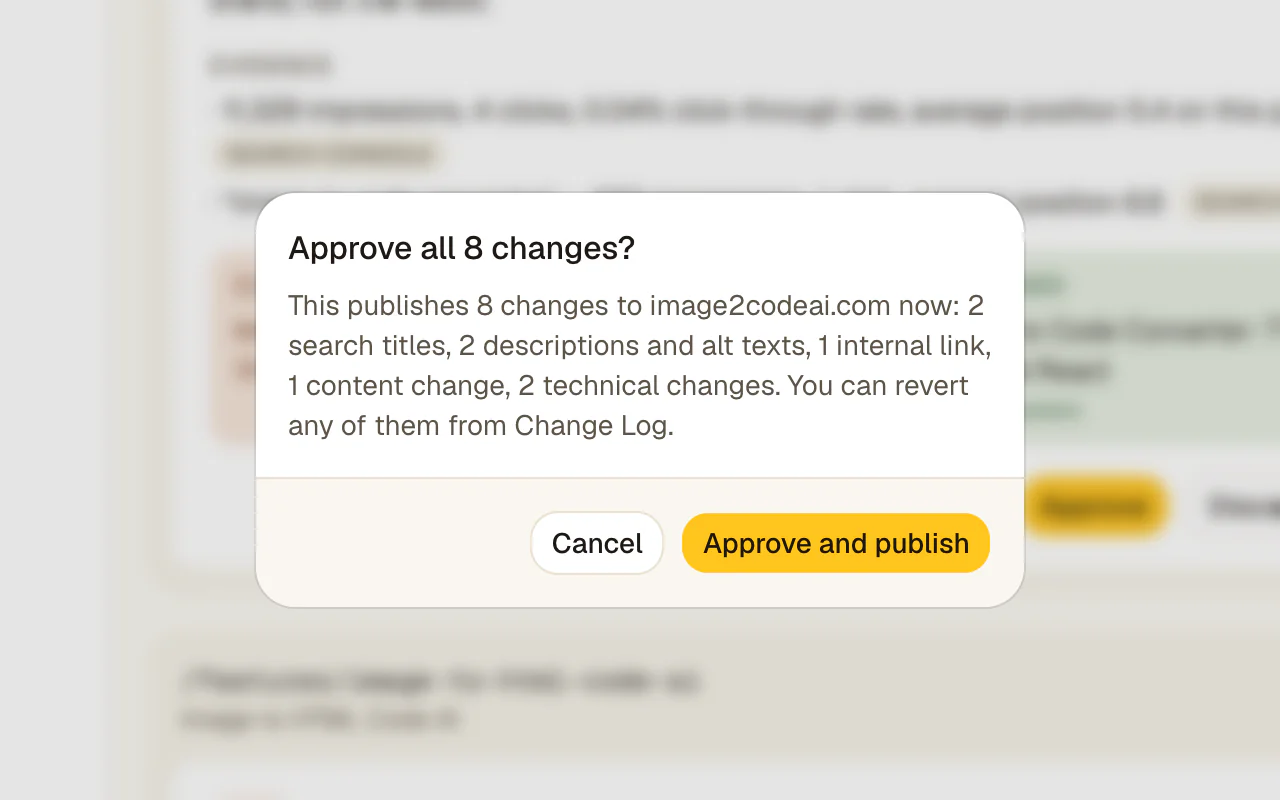
WordPress updates through signed (HMAC) requests. The Change Log stores the before and after, and you can revert a title, description, page edit or schema change if results disappoint.
Data sources and security
Search Console data flows through Google sign-in with read-only access — RankHive never asks for your Google password. WordPress access goes through the RankHive plugin, which gets its own keys when you approve the connection. We never see your WordPress admin password.
Every write is tied to an approved proposal ID. Unauthorized writes are not possible through the normal product flow. Change history is retained so you can audit what shipped and when.
Read access to GSC is read-only. Write access to WordPress is approval-gated and HMAC-signed. The permission model mirrors the job: we need to see performance data and ship changes you explicitly approved — nothing else.
Who built RankHive and why
RankHive exists because WordPress powers a huge share of the web and most site owners cannot hire a full-time SEO operator. The tools available either report problems or generate content — few close the loop from data to shipped fix with a safety gate.
The idea is SEO on autopilot for the mechanical work, with you still flying the plane on every meaningful decision.
We are not an agency selling retainers, and we are not a content mill selling word counts. We build software for the gap between knowing what to fix and actually fixing it — because that gap is where most WordPress SEO dies.
That positioning is deliberate. RankHive is infrastructure for site owners and agencies who already understand SEO basics but lack the hours to execute weekly. We do not teach SEO; we automate the mechanical loop and leave strategy with you.
The five-step loop in detail
Connect Search Console. OAuth grants read access. RankHive ingests queries, landing pages, impressions, clicks, and positions. This becomes the prioritization engine — not a keyword tool you type into, but your site's actual search performance.
Connect WordPress. Install the RankHive plugin, approve the pairing handshake, and authorize REST API access. The plugin issues scoped credentials for reads and approved writes. Your site stays on your hosting; RankHive connects over HTTPS.
Weekly analysis runs automatically. The AI ranks opportunities: striking-distance keywords, CTR gaps, missing schema, thin sections, internal link holes. Each opportunity becomes a draft proposal with evidence — not a bullet on a PDF.
You review in the RankHive dashboard. Approve, edit, or discard. Every card shows the page, the change type, the draft, and the Search Console data that triggered it. Fixes you leave alone are replaced by the next week's audit.
Approved changes ship to WordPress. The write updates the live field. The Change Log captures the before and after, and you can revert most changes there if results disappoint.
What RankHive does not do
It does not publish articles on its own. It drafts up to 16 a month for keywords you choose, and each one waits for your approval before it is scheduled in WordPress.
It does not replace your SEO plugin. Sitemaps, breadcrumbs and schema templates stay in Yoast, Rank Math or SEOPress. RankHive adds the performance loop on top.
It does not do link building, paid search, or social scheduling, and it does not edit WooCommerce product pages yet. The scope is on-page and technical SEO for the posts and pages you control in WordPress.
How the AI drafts proposals
The model does not "optimize your site" in one prompt. It works per opportunity: one URL, one change type, one GSC signal. A title rewrite proposal includes the current title, the drafted title, the query, impressions, and position.
Context comes from your live page content, your Search Console data, keyword data from DataForSEO, and the site summary you approved during setup — not generic best practices divorced from your site. A meta description for a service page reads differently from one for a blog post because the source content differs.
Before a draft reaches you, RankHive checks it against the live page and drops suggestions that do not match it or lack evidence. After that, quality control is you: the AI proposes, you decide. Discarding a draft does not teach the agent yet, so a later audit may suggest a similar fix again.
E-E-A-T and why we built approval-first
Google's quality systems reward demonstrated expertise and human oversight — not scaled low-effort output. Tools racing to publish AI content without review are betting against that direction. RankHive bets the other way.
Every shipped change has a Change Log entry and keeps the evidence it was drafted from. That record is how you show clients, stakeholders, and yourself that SEO changes were deliberate, not accidental.
We publish how the product works because transparency is part of trust. You should know what connects, what writes, and what stops at the approval gate before you connect a production site.
Getting started — what to expect week one
Day one: connect Search Console and WordPress. The pairing flow takes under ten minutes if you can install a plugin. Before you pay, onboarding shows the first places RankHive found to look in your data.
When you subscribe, the first audit starts and usually finishes within minutes. You will see real evidence from your site — not demo data.
Week one: approve a small batch of high-impression proposals. Five title or meta changes is enough to validate the workflow. Watch GSC over the next two to four weeks for CTR and position movement.
Month one: a new audit lands every week. Discard generic drafts without guilt. Revert anything that underperforms. The loop pays off when consistency beats intensity.
Founder context: why this product exists
The pain point was personal: Search Console showed obvious fixes every week, and those fixes lost to product work, support tickets, and content deadlines. The spreadsheet titled "SEO ideas" never shrank.
Existing tools solved half the problem. Crawlers found issues. Writers generated drafts. Dashboards refreshed. Nobody shipped the title rewrite on the page already ranking position 9 with 800 impressions. That last mile — from signal to live field — was still manual, and manual did not happen consistently.
The product bet is narrow and opinionated: automate the weekly optimization loop on WordPress with a human approval gate. Not content farms. Not link schemes. Not enterprise technical SEO across custom stacks. One loop, done well, for the millions of WordPress sites that already have traction but lack execution bandwidth.
If that matches your situation — indexed pages, GSC history, not enough hours — RankHive is built for you. If you need a different job, we will tell you honestly on the feature pages and in support. Narrow products beat bloated ones when the job is clear.
Use cases
You have heard of RankHive but cannot tell if it is a plugin, a course, or another AI writer. You need to understand the actual workflow before connecting your site.
You connect GSC and WordPress in under ten minutes, see real proposals from your data minutes after you subscribe, and approve the fixes you want. The loop is concrete: evidence, draft, approve, live.
Your developer set up Rank Math but nobody maintains product metas. You want to know if RankHive works on catalog pages.
Not yet. RankHive audits and edits your posts and pages, not WooCommerce product or category pages. If your blog and landing pages bring in search traffic, it works on those.
A client asked whether "AI SEO" is safe. You need to explain the product mechanics — data access, approval, logging — before recommending it across twelve WordPress retainers.
You walk through the five-step loop and show the approval queue and Change Log. Each client site is its own subscription, and you can invite teammates or the client to that workspace. There are no separate approval roles yet: anyone invited can approve.
Connections and compatibility
Google Search Console: OAuth 2.0, read-only. Queries, pages, impressions, clicks, position. Refreshed weekly for opportunity detection. No password storage.
WordPress: the RankHive plugin (WordPress 6.5+, PHP 8.1+), with signed (HMAC) server-to-server requests. Works on posts and pages. Page edits target the exact passage they were drafted for, so they stop rather than guess if the text has changed.
SEO plugins: Yoast, Rank Math or SEOPress hold the titles, descriptions and canonicals RankHive writes; you need one of them for those changes to appear on your pages. Schema RankHive adds is printed by its own plugin. Your sitemap settings stay as they are.
Disconnecting is simple: disconnect the plugin and its keys stop working. Revoke Google access and Search Console data stops flowing.
How we handle access and writes
GSC OAuth is read-only. WordPress writes require approved proposal IDs — no ad-hoc mutations through the product UI.
Change Log with the before and after of each change, and Revert for titles, descriptions, page content and schema.
HMAC-SHA256 signed API requests with timestamp drift tolerance and nonce replay protection. Disconnect revokes credentials immediately. WordPress admin passwords are never collected.
We publish this on purpose. You should know exactly what can write to your site, when, and under what conditions.
RankHive is not for everyone
Sites with no search history. If Search Console shows negligible impressions, focus on indexing and content first. RankHive optimizes traction you already have.
Publishers who want zero-touch AI content. RankHive never publishes an article you have not approved. Editorial strategy remains yours.
Platforms other than WordPress. The shipping layer is WordPress-specific today.
Teams looking for link building or PR automation. Off-page SEO is out of scope.
Anyone uncomfortable with a SaaS connection to GSC and WordPress. We explain the model transparently on this page — if the architecture does not fit your risk profile, better to know before connecting production.
Common objections
Is RankHive just ChatGPT connected to WordPress?
No. ChatGPT has no standing connection to your Search Console or CMS. RankHive runs scheduled analysis on your GSC data, ranks opportunities by impressions, drafts scoped artifacts, and ships through HMAC-signed API writes after approval. The integration depth is the product.
Why is RankHive a SaaS app instead of just a plugin?
The agent loop — Search Console analysis, opportunity ranking, drafting with AI and keyword data, approvals — runs in the cloud. The WordPress plugin is the bridge for reads and approved writes, so none of that work runs on your hosting.
What happens to my data if I cancel?
Your site content stays on your hosting, and every change RankHive made stays in WordPress. Disconnect the plugin and RankHive can no longer read or write. To remove its Search Console access, revoke it in your Google account.
How do I know the AI won't damage my site?
Because nothing ships without your approval, every change is logged, and most can be reverted. The AI proposes diffs; you are the editor-in-chief. The plugin cannot delete posts and does not touch your themes, plugins or users.
Approval-first architecture
Every production write requires your approval. There is no auto-publish setting.
Change Log
The before and after of every change RankHive makes, with the Search Console evidence behind it.
Plugin-compatible
Works alongside Yoast, Rank Math and SEOPress. Your technical SEO layer stays intact.
Frequently asked questions
What is RankHive?
WordPress SEO automation software that finds ranking opportunities in Search Console, drafts fixes and new articles, and ships them after you approve. It is a web app with a WordPress plugin bridge — not a replacement for your SEO plugin or your editorial judgment.
Is RankHive a WordPress plugin?
RankHive is a SaaS app with a WordPress plugin for the site connection. You manage proposals and approvals in the RankHive dashboard. The plugin handles secure pairing, HMAC-signed writes, and webhook loop prevention on your WordPress host.
Does RankHive work with WooCommerce?
It connects to a WooCommerce store like any WordPress site and works on your posts and pages. It does not audit or edit product and category pages yet.
How much time does RankHive save?
RankHive does the discovery and the drafting: reading Search Console, finding the opportunity and writing the fix. What's left for you is a yes or no on each change. We don't have enough customers yet to publish an honest average, so we won't make one up.
Can I try RankHive before paying?
There's no free trial. Before you pay, onboarding connects your site and shows the first places RankHive found to look in your own data. After you subscribe, you can cancel anytime from your account settings.
Where is RankHive hosted?
RankHive is a cloud SaaS application. Your WordPress site stays on your hosting; RankHive connects via API. Performance data is processed in our cloud; your CMS content remains on your server except for the fields we read for drafting context.
What permissions does RankHive need on WordPress?
You install the RankHive plugin as an admin. It reads posts, pages and media, and writes only after you approve: titles, descriptions, canonicals, page content, schema, image alt text, redirects, robots.txt, post status and new drafts. It cannot delete posts and does not touch themes, plugins or users. You never share your admin password.
How does RankHive prioritize which pages to fix first?
Search Console impressions and position. Striking-distance queries on URLs with real traction rank highest. The agent chases opportunity your data proves, not keywords you guess. High-impression, page-two rankings beat low-volume vanity targets every time.
Can multiple team members use one account?
Yes. Invite teammates to your workspace from Settings. Owners manage billing and members; there are no separate approval roles yet, so anyone invited can approve.
What SEO plugins work with RankHive?
Yoast, Rank Math and SEOPress (All in One SEO isn't supported yet). RankHive writes titles, descriptions and canonicals into the plugin's own fields. Keep your plugin for technical SEO — sitemaps, breadcrumbs, schema templates — while RankHive handles the weekly loop on top.
Connect WordPress → see your first SEO fixes
Setup takes under ten minutes. Your first audit starts the moment you subscribe.