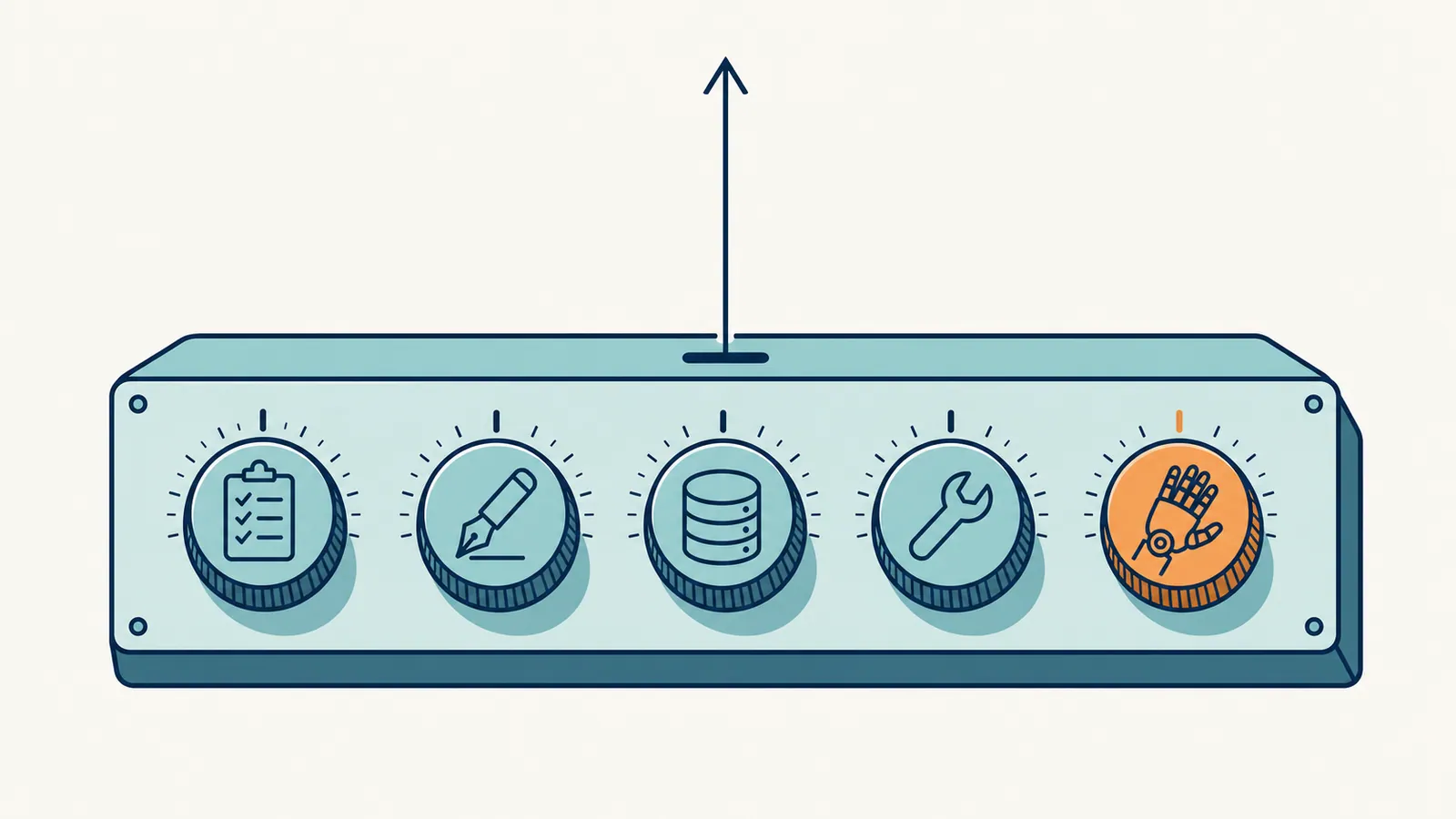
The phrase "AI SEO optimization tool" covers at least five different kinds of product: content optimizers, AI writers, search-data assistants, AI-assisted audit tools, and agentic platforms that run the loop end to end. They aren't interchangeable. Each one removes a different bottleneck, and buying the wrong type costs a month and a subscription before you notice.
This guide is about choosing. It explains what each type actually does, which problem it fixes, how to test one in a trial before you commit, what to ask the vendor, and what a sensible stack costs at three sizes of team. If you want the techniques themselves, such as striking-distance refreshes, writing for AI Overviews and CTR rewrites, they live in The Complete Guide to AI for SEO and How to Rank in AI Overviews. This page links to them rather than repeating them.
One point up front: AI SEO optimization isn't a tool you install. It's a pattern of work: find what to fix, decide the change, draft it, ship it, measure it. Tools speed up particular steps of that pattern. A tool only pays off when it removes the step you're actually stuck on.
Last updated: October 15, 2026. Refocused on choosing a tool type. Prices now come from our dated comparison pages. Updated RankHive's price ($49.99 a month) and the stack totals that include it.
TL;DR
- "AI SEO optimization tool" is a label for about five product types. Decide which step of the work you're stuck on before you compare products.
- Content optimizers improve a page you've already chosen. AI writers draft. Search-data assistants explain your data. Audit tools find technical problems. Agentic platforms find, draft and queue changes for you to approve.
- Test any tool on your own pages, not the demo. A trial that doesn't use your site and your Search Console data tells you very little.
- Before you buy an agent, ask where its changes live, who approves them, how you undo them, and what stays if you cancel.
- A solo site can run a serious AI-assisted workflow for roughly $70 to $120 a month. Most teams overspend by buying two tools of the same type.
What "AI SEO optimization" actually is
AI SEO optimization is the use of AI models, from large language models to the machine-learning features inside search-data tools, to improve how a page performs in organic search. In practice AI plays one of three roles.
AI as analyst. AI reads your data and tells you what to fix. The output is a list. You still do the work.
AI as drafter. AI writes the new title, section, schema or alt text. The output is a draft. You still review it and ship it.
AI as operator. AI finds the work, drafts the change and queues it. The output is a review queue. You approve, and the tool ships.
Each role maps to different tools and different price points. They aren't mutually exclusive, and a serious workflow usually uses all three. The buying question is which role you're missing.
The five types of AI SEO optimization tool
1. AI content optimizers
These tools analyze the top results for a target keyword, score your draft against them, and suggest topics, terms and headings you've missed. Examples: Surfer SEO, NeuronWriter, Clearscope, Frase, MarketMuse.
What they do well.
- Find subtopics and terms the ranking pages cover and yours doesn't.
- Turn a keyword into a structured brief a writer can follow.
- Catch coverage gaps a writer misses when they know the topic too well.
What they don't do.
- Choose which page to optimize. They work on the page and keyword you give them.
- Make the change. They produce a score and a brief. Someone still rewrites the page.
- Tell you whether a page is worth the effort at all.
Who they suit. Writers and small content teams who publish or refresh long-form posts every month and already know which pages matter.
2. AI writers
General language models, and products built on them with SEO templates. Examples: ChatGPT, Claude, Jasper, Writesonic, Koala.
What they do well.
- Draft prose quickly from a good brief.
- Rewrite, expand, shorten and summarize.
- Produce fixed formats: tables, FAQ blocks, comparison sections, meta descriptions.
What they don't do.
- Know your current data unless a tool feeds it to them.
- Decide which pages to write or fix.
- Hold a brand voice without explicit guidance and examples.
- Guarantee accuracy. They state invented facts with the same confidence as real ones.
Who they suit. Almost everyone. A general LLM subscription has become a default line item, and for many small sites it's the only AI tool they need.
3. AI search-data assistants
AI layers on top of search data: natural-language questions over Search Console, anomaly alerts, and AI summaries inside keyword and analytics suites such as Ahrefs and Semrush.
What they do well.
- Surface what changed this week without manual filtering and sorting.
- Explain a traffic drop in plain words for someone who doesn't live in Search Console.
- Join data that normally lives in separate tabs.
What they don't do.
- Write the fix.
- Always know the cause. When the data is ambiguous, they can offer a confident explanation that's wrong.
Who they suit. Teams that already pay for the underlying data tool and spend too long reading dashboards.

4. AI-assisted audit tools
Crawlers and site-audit tools that use AI to explain issues, rank them by likely impact, or draft remediation notes. Examples: Sitebulb, Screaming Frog with its AI integrations, Lumar.
What they do well.
- Find crawl, redirect, canonical, indexing and schema problems across a whole site.
- Prioritize technical fixes so the important ones don't get lost in a list of 4,000 warnings.
- Write a clear explanation you can hand to a developer.
What they don't do.
- Content work.
- Anything after the audit. A finding still needs someone to fix it.
Who they suit. Technical SEOs, and teams with a developer who can act on the findings.
5. Agentic SEO platforms
The newest type. An AI agent does the discovery, prioritization and drafting, then queues changes for a person to approve, or ships them automatically. Examples: RankHive, Search Atlas OTTO, Alli AI, SEOJuice and RightBlogger Site Agent.
What they do well.
- Run the whole loop rather than one step of it.
- Turn a weekly SEO session into a review queue.
- Keep working in the weeks nobody has time for SEO.
What they don't do, or do differently.
- They differ most in where the change lives. Some write into your CMS, so the change stays if you leave. Others apply changes with a JavaScript snippet, so the change exists only while the snippet runs. Where your SEO changes live explains the trade-off.
- They differ in approval. Some wait for you on every change; some ship by default and offer an approval mode.
- They're opinionated, which can frustrate experienced SEOs who want to control every step.
Who they suit. Small teams and site owners who know what good SEO looks like but don't have a regular person doing it. Best SEO Automation Software compares seven of them on the same criteria.
How to pick the right type
Start from the bottleneck, not the product.
| Your bottleneck | Tool type | Examples |
|---|---|---|
| "I don't know what to fix or write next" | Search-data assistant, plus a keyword tool | Search Console, Ahrefs, Semrush |
| "My drafts are thinner than the pages that rank" | Content optimizer | Surfer, Frase, Clearscope |
| "Drafting takes too long" | AI writer | ChatGPT, Claude, Jasper |
| "Technical issues keep coming back" | AI-assisted audit tool | Sitebulb, Screaming Frog, Lumar |
| "We know what to do, but it never gets done" | Agentic platform | RankHive, OTTO, Alli AI |
If you have several bottlenecks, one agentic platform can replace two or three single-step tools. If you have one specific bottleneck and a working routine around it, a single-step tool is usually cheaper.
The pattern to avoid: buying a content optimizer, an AI writer, a keyword tool and an audit tool, and still not shipping anything. If the work isn't getting done, more analysis won't change that. The missing piece is execution.
Which type covers which step of the work
Every AI SEO workflow, by hand or automated, runs the same five steps. This table shows which tool type helps at each one. The full step-by-step method, with prompts, is in Part 5 of the complete guide to AI for SEO.
| Step | What happens | Tool types that help | What stays human |
|---|---|---|---|
| 1. Find | Spot pages with impressions but few clicks, queries just off page one, pages losing traffic | Search-data assistant, agentic platform | Deciding which opportunities matter to the business |
| 2. Decide | Choose the change: new title, added section, merged page, internal link, redirect | Content optimizer, agentic platform | Judging intent and whether the change fits the brand |
| 3. Draft | Write the new title, section, schema or alt text | AI writer, content optimizer, agentic platform | Checking facts, numbers and tone |
| 4. Ship | Put the change on the live site | Agentic platform (if it writes to your CMS), or a person | Approving what goes live |
| 5. Measure | Compare clicks, CTR and position before and after | Search-data assistant, agentic platform | Deciding whether to keep, adjust or revert |
Two things stand out. First, only agentic platforms touch step 4, and that's the step most teams skip. Second, every step keeps a human judgment, even with an agent. A tool that removes the judgment, rather than the busywork around it, is the one to be careful with.
For what to actually do at each step:
- Striking-distance refreshes and CTR rewrites: AI Content Optimization and Part 5 of the complete guide.
- Writing for AI Overviews and answer engines: How to Rank in AI Overviews.
- Finding topic gaps: Keyword Gap Analysis.
On WordPress, the title and meta step is what RankHive runs for you every week. It finds pages with impressions but weak CTR in your Search Console data, drafts a new title and meta description for each, and shows them beside the current ones with the query, position and impressions behind them. The drafts you approve are written into your SEO plugin's fields, and you can revert them from the Change Log.
How to test a tool before you pay
Demos use pages the tool does well on. A useful trial uses yours. Give each type a test you can judge in an afternoon.
Content optimizer: score a page you know ranks. Run your best-performing page, one that already sits in the top three, through the tool. If it scores that page poorly and tells you to add 40 terms, the score isn't measuring what Google rewards; treat its suggestions as a checklist, not a target. Then run a page that underperforms and see whether the brief names gaps a reader would actually notice.
AI writer: brief it with facts you can check. Give it a brief that includes three specific facts about your product, then ask for a section. Count how many facts it kept, changed or invented. Ask it for a statistic with a source, and check the source exists. This tells you how much editing every draft will need.
Search-data assistant: ask a question you already know the answer to. Pick a traffic change you've already explained, such as a page that dropped after a redirect or a seasonal dip, and ask the assistant why it happened. If it gives a confident wrong answer, you'll know to treat its explanations as leads rather than conclusions.
Audit tool: compare its findings with Search Console. Crawl the site, then open Search Console's Page indexing report. The important problems should appear in both. If the audit's top-priority items aren't things Google reports as a problem, check how it ranks severity before you hand the list to a developer.
Agentic platform: watch one full cycle on a small part of the site. Connect it, let it run one audit, and look at what it proposes: is the evidence behind each change shown, and would you have made the same call? Approve two or three small changes. Then check that they appear where you expect in WordPress or your CMS, and revert one to see what undo actually does.
Keep notes during the trial. The question at the end isn't "is this tool impressive?" It's "did it remove the step I'm stuck on, on my site?"
Questions to ask any vendor
Most tool pages answer the questions that make the product look good. These are the ones that decide whether it fits.
- Where does the data come from? Your own Search Console data shows real impressions and clicks for your pages. Third-party keyword databases are estimates. Both are useful, but for deciding what to fix on an existing site, your own data is the stronger signal.
- Where does a change live once it ships? In your CMS fields, in a JavaScript snippet, or at the CDN? This decides whether crawlers that don't run JavaScript see it, and what happens if you cancel.
- Who approves a change, and can that be enforced? Is approval the default, an option, or absent?
- How do you undo a change, and for how long? Is there a log with the before and after? Is there a time limit? What happens if someone edited the page since?
- What happens to your site if you cancel? Do changes stay, revert, or depend on a snippet you're asked to remove?
- How is it priced? Per site, per seat, per article, or by credits? Per-seat and per-article pricing grow quickly as you scale; flat per-site pricing is easier to predict.
- Which platforms does it support? A tool built for WordPress may not work on Shopify or a custom site, and the reverse.
If a vendor can't answer the first five plainly, that's an answer in itself.
What AI SEO optimization tools can't do
A few ranking problems still need people.
Brand voice. AI drafts drift toward the average. A distinctive voice comes from writers who know the audience, with AI helping on structure and speed.
Original research and first-party data. Pages that earn links often start from a survey, a benchmark or your own numbers. AI can present that material. It can't produce it.
Links and relationships. No tool builds links. AI can draft an outreach email; it can't earn the trust the email depends on.
Strategic choices. Whether you should rank for a query at all is a business question. So is which product to push and which audience to serve.
Judgment under uncertainty. When the data is unclear, AI tends to pick a confident answer. Someone who knows the site has to notice when that answer is wrong.
Worked example: choosing a stack for a 60-page WordPress site
This is an illustrative scenario, not a customer result. A local accounting firm runs a WordPress site with 60 pages: service pages, location pages and about 30 blog posts. One marketer spends a few hours a week on it alongside other work. Search Console shows steady impressions but flat clicks for a year.
Step 1: name the bottleneck. The marketer can list what should be done: rewrite weak titles, refresh old posts, fix a few redirects. It doesn't get done because the week fills up. That's an execution bottleneck, not a research one.
Step 2: rule things out. A mid-tier keyword suite would mostly show estimates for a site that already has its own Search Console data, so it can wait. A content optimizer would help with the posts, but only after someone chooses which posts to refresh, and that choice is the step being skipped.
Step 3: choose. The firm keeps Search Console (free), keeps one LLM subscription for drafting the occasional new post ($20 a month, billed monthly, for ChatGPT Plus or Claude Pro), and adds one agentic tool for the weekly find, draft and ship loop. Because the site is WordPress and the firm wants to approve every change, it trials an agent that writes into the SEO plugin's fields and waits for approval.
Step 4: trial on a slice. For two weeks it approves only title and meta changes on service pages, then checks those pages in Search Console 30 days later against the 30 days before.
What it costs. About $70 a month: $49.99 for RankHive on one site plus the $20 LLM subscription. The stack might grow later with a content optimizer if refreshing posts becomes the new bottleneck.
The point isn't the specific products. It's the order: name the bottleneck, rule out tools that solve a different problem, and test the remaining one on a small slice of your own site.
What a sensible stack costs
Prices below are from our dated comparison pages, mostly read from vendors' own pricing pages in September and October 2026. Check the current figures before you buy.
Solo operator, one site: about $70 to $120 a month.
- Search Console: free.
- One LLM subscription: ChatGPT Plus or Claude Pro, $20 a month billed monthly (Claude Pro is $17 a month billed yearly).
- Optional content optimizer: Frase from $49 a month, or Surfer from $49 a month billed yearly (Best AI SEO Tools).
- Optional agentic layer: RankHive at $49.99 a month for one WordPress site.
Small team, two to four people: about $150 to $350 a month.
- Add keyword and backlink data: Ahrefs Starter at $29 a month, or Lite at $129 for more projects and history (Ubersuggest vs Ahrefs).
- A content optimizer the writers share.
- LLM seats for each writer.
- An agentic layer per site if execution is the bottleneck.
Mid-size content team: $600 a month and up.
- Ahrefs Standard ($249) or Advanced ($449).
- Clearscope from $129 a month.
- MarketMuse for content planning (it no longer publishes prices, so expect a quote).
- An agentic layer per site.
Buying mistakes to avoid
- Two tools of the same type. Two content optimizers, two AI writers or two keyword databases rarely add enough to justify the second bill. Pick one per type.
- Enterprise data for a small site. A full Ahrefs or Semrush plan for a 30-page site is mostly unused. Search Console plus a starter plan covers it.
- Judging by the demo. Run the trial on your own pages and data, as described above.
- Buying analysis when the problem is execution. If the fixes you already know about aren't shipped, another report won't help.
- Ignoring where changes live. A snippet-based tool can be the right choice, but know before you sign that its changes may disappear when you cancel.
- Paying per article when you need fixes. Article generators charge per post. If your traffic problem is weak titles and stale posts, more new articles won't fix it.
- Skipping the review step. Whatever you buy, keep a person approving what goes live. Auto-published AI drafts are the fastest way to fill a site with errors.
Frequently asked questions
Do I need all five types of AI SEO tools?
No. Most sites run well with two or three: Search Console, one LLM subscription, and either a content optimizer or an agentic platform, depending on where they're stuck.
Is ChatGPT an AI SEO optimization tool?
It's an AI writer, one of the five types. It can draft titles, sections and schema well from a good brief, but it doesn't see your Search Console data, choose pages or ship changes unless you connect it to something that does.
Which type should I buy first?
The one that removes your bottleneck. If you don't know what to fix, start with Search Console and a search-data tool. If you know what to fix but it never ships, start with an agentic platform. If drafting is slow, start with an LLM subscription.
Are free AI SEO tools enough?
For a small site, often yes: Search Console, a free LLM tier and a free SEO plugin carry a lot. Best Free AI SEO Tools lists what the free tiers actually include. Paid tools earn their place once your time costs more than the subscription.
Will AI SEO optimization tools get me penalized?
Not by themselves. Google's spam policies target scaled, low-value content and manipulation, however it's made. Tools used with editing and approval produce pages that are judged like any other.
How long until I see results?
CTR changes from title and description rewrites can show within a few weeks, once Google recrawls the page. Ranking changes from content refreshes usually take one to two months. New content takes longer.
Related reading
- The Complete Guide to AI for SEO (2026)
- Best AI SEO Tools in 2026 (Compared and Ranked)
- Best SEO Automation Software
- Where Do Your SEO Changes Live?
- AI Content Optimization: A Practical Guide for 2026
- How to Rank in AI Overviews
- What Is Agentic SEO? AI SEO Agents Explained
Pick the type that removes the step you're stuck on. If that step is shipping the fixes you already know about on a WordPress site, RankHive finds them in your Search Console data and writes them to WordPress after you approve each one.