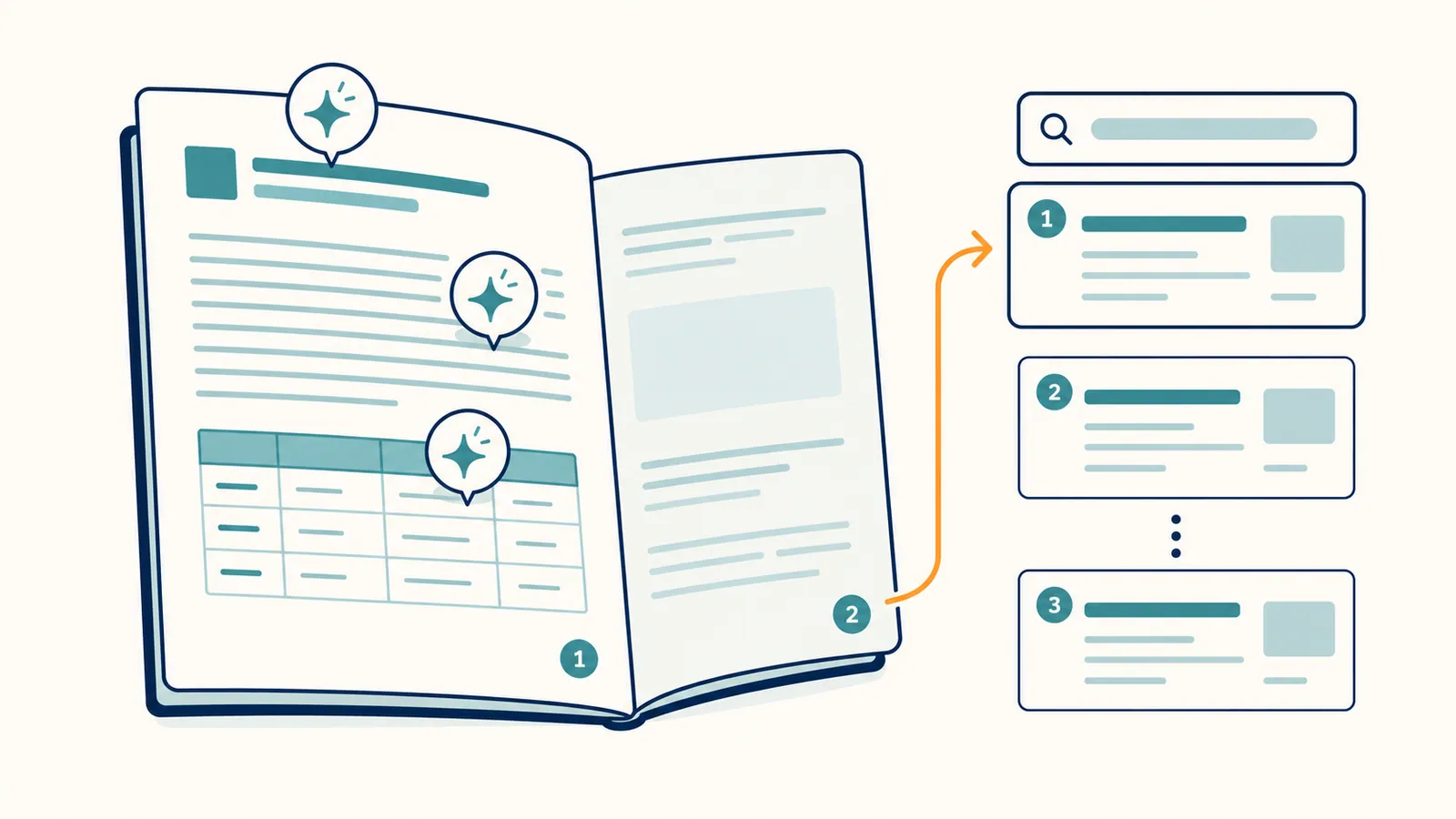
AI content optimization is the use of AI to improve content that already exists. Restructuring it. Tightening it. Filling topical gaps. Fixing on-page signals. Refreshing dates and stats. It is not the same as AI content generation. The difference matters more than it sounds, because most of the gain in 2026 SEO sits in the optimization bucket, not the generation bucket.
Done well, AI content optimization is one of the highest-ROI things a marketing team can do this year. It works on pages you have already paid to write. A page that already earns impressions can earn more clicks from a better title, and a page sitting at position 12 has a shorter climb to page one than a new post starting from zero. The cost is mostly attention.
This guide is for marketers and site owners who have an existing library of content and want to use AI to make it work harder. It covers what AI content optimization actually is, the tools to use, the step-by-step process, the prompts that work, and the mistakes most teams make. Read it once. Apply it to two pages this week. The pattern locks in fast.
Last updated: October 13, 2026. Schema advice updated: Google no longer shows FAQ rich results.
TL;DR
- AI content optimization = use AI to improve existing content. It is different from AI content generation.
- The highest-ROI targets are striking-distance pages currently ranking positions 5 to 15.
- A repeatable optimization loop: pull data → audit page → AI-draft updates → review → ship → measure.
- The tools that matter: a content optimizer (Surfer, NeuronWriter, Clearscope), a search data source (GSC), and ideally an agentic platform that closes the loop (RankHive).
- Most teams stop after step 4. The teams that win do steps 5 and 6 every week.
What "AI content optimization" actually means
AI content optimization is a workflow, not a single tool. It usually involves four kinds of changes to an existing page.
Structural updates. Adding missing H2s. Breaking up long sections. Adding a TL;DR. Adding a comparison table or FAQ block. Reordering sections so the most important answer comes first.
Topical updates. Adding coverage for related subtopics the page is missing. This is the kind of update content optimizers (Surfer, NeuronWriter) surface best. They read the top SERPs, find what your competitors cover that you do not, and produce a coverage gap list.
On-page signal updates. Better title. Better meta description. Internal links. Schema markup. Alt text. These are the bounded artifacts AI handles cleanly and a human can review in seconds.
Freshness updates. Refreshing examples, dates, stats, and references. The "Last updated" stamp is real signal in 2026, especially for AI search engines. A page that says "as of 2022" loses citations to a page that says "as of 2026."
AI helps in all four areas. But it is not the same tool doing all four. A content optimizer (Surfer-style) is best at structural and topical. An agentic SEO platform like RankHive handles signal and freshness updates plus the workflow around them.
The high-ROI use case: striking-distance pages
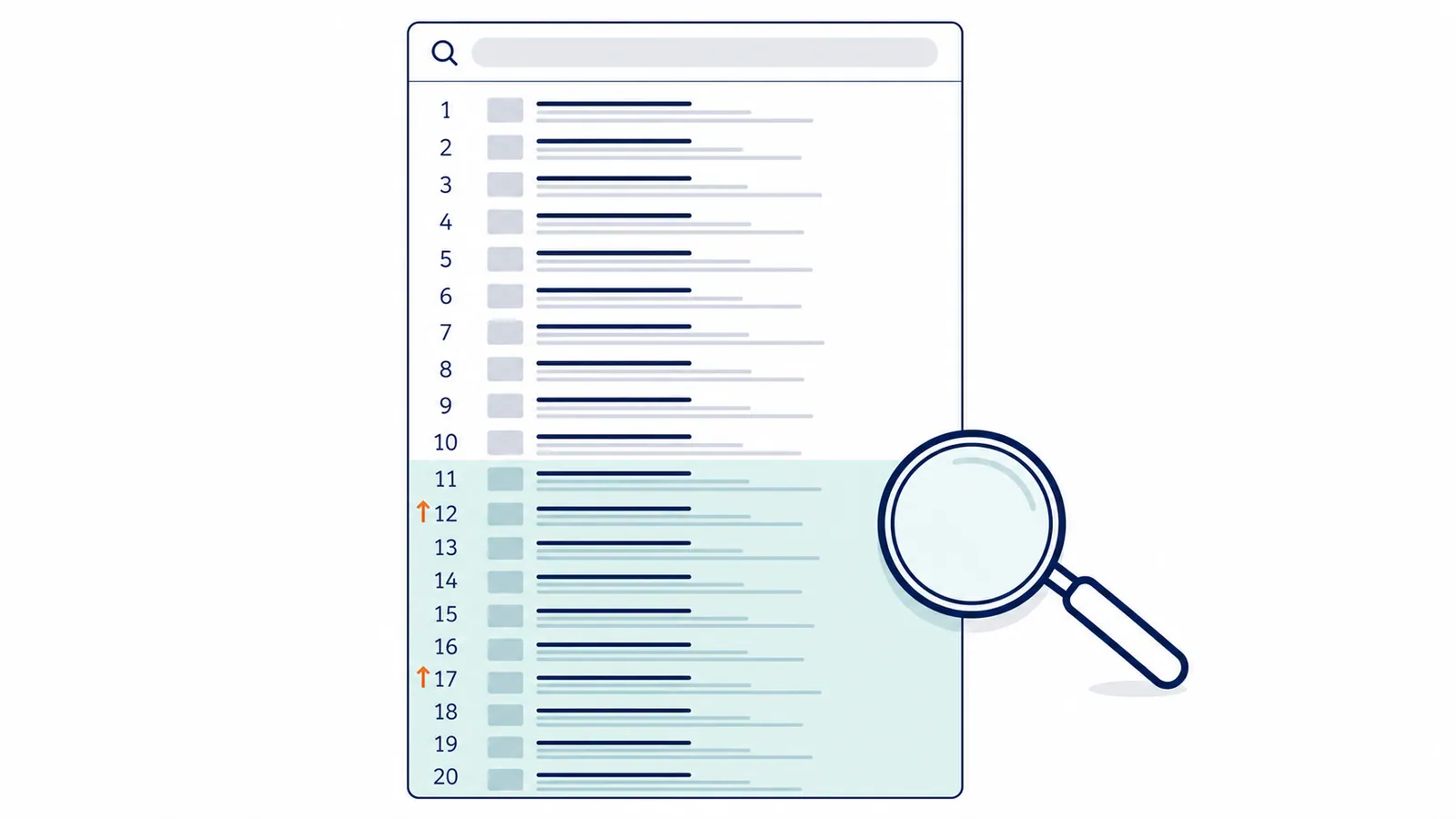
If you have any existing content that ranks somewhere on page two of Google (positions 11 to 20), that is your highest-ROI optimization target. The page already has search engines indexing it. It has some authority. It has proven topical relevance. A modest update is often enough to push it onto page one. And a page-one rank typically delivers 5 to 10× the click-through of a page-two rank.
You can spot striking-distance pages in Search Console.
- Open Search Console → Performance.
- Filter to last 90 days.
- Add columns for queries, average position, impressions.
- Sort by impressions descending.
- Look for queries where average position is between 11 and 20 with reasonable impressions.
- For each, identify the page that is ranking.
That list is your AI content optimization queue. It is also the most undervalued list in your business. Most teams spend their content budget on net-new posts that will not see traffic for six months. The striking-distance list moves in two to six weeks.
With RankHive, that list builds itself every week. It reads your Search Console data, picks the queries where a page sits in positions 5 to 20 with real impressions, and drafts the fix for that page: a new title, a meta description, an internal link or a rewritten section. Each draft shows the query, position and impressions behind it. You approve or discard it, and approved changes go live on WordPress with a before-and-after entry you can revert.
The AI content optimization process. Step by step
Step 1: Audit the page
Run the page through an AI-powered content optimizer (Surfer, NeuronWriter, Clearscope, or Frase). The output is usually:
- A content score relative to top-ranking competitors.
- A list of terms and topics the page is missing.
- A suggested heading structure.
- Word count and depth comparison.
Save this output. Do not just blindly act on it. The goal is to understand what is missing, not to keyword-stuff. A score of 75 with good prose beats a score of 95 with awkward density. Read the gaps. Pick the meaningful ones.
Step 2: Read the top 3 ranking competitors
Five minutes per competitor. You are looking for four things:
- Topics they cover that you do not.
- Topics you cover that they do not (sometimes a defensive moat).
- The structural pattern. Is there always a comparison table? A specific FAQ block? A TL;DR?
- The depth. Are they 1,500 words or 4,000?
This is the step most teams skip. It is also the step that turns a generic optimization into a strategic one. The optimizer's term list tells you what is missing. The competitor read tells you why it is missing and what to do about it.
Step 3: Plan the update. Write down what changes
Resist the urge to start editing. Write a short edit brief first.
- "Add an H2 on X with 150 words."
- "Add a comparison table with these 4 columns."
- "Rewrite the intro to answer the question in the first sentence."
- "Add 3 internal links to /blog/Y, /blog/Z, /pricing."
- "Update stats from 2024 → 2026."
- "Rewrite title and meta."
This brief is the contract for the change. Without it, AI-driven edits tend to sprawl. With it, you stay on target.
Step 4: AI-draft the changes
For each item in the brief, use AI to produce a draft. Examples of prompts that work:
- "Rewrite this paragraph to answer the question 'X' in the first sentence, then expand. Keep the tone matter-of-fact."
- "Generate a comparison table with these columns: tool name, best for, WordPress fit, price. Use the four tools listed below."
- "Generate three title options for this article. The primary keyword is X. Keep under 60 characters. No clickbait verbs."
Edit. Always edit. AI drafts are starting points, not endings. The teams that ship AI drafts straight tend to discover this the hard way over a slow six months.
Step 5: Ship and tag the change
- Update the live page.
- Tag the change. URL, date, type of change. A simple Google Sheet is fine.
- For agentic workflows, the agent handles the push and the tagging automatically after approval.
The tagging step is the part teams cut first. It is also the part that lets you tell what is working three months from now. Cut it and you lose the feedback loop.
Step 6: Measure
- After 14 days: check CTR and impression deltas.
- After 30 days: check average position and clicks.
- After 60 days: declare success or iterate.
Most pages move within 30 days. Some take 60. Pages that have not moved at all in 60 days probably need a bigger update or a different angle, not another tiny tweak.

Tools that actually help
| Tool | Role | Strength |
|---|---|---|
| Search Console | Find the targets | Free, first-party data |
| Surfer / NeuronWriter / Clearscope | Audit + brief | Content scoring |
| ChatGPT / Claude | Draft updates | Flexible, cheap |
| WordPress Block Editor | Ship the change | Where the content lives |
| RankHive | Close the whole loop | Picks the page, drafts the changes, ships after approval |
The first four cover the manual workflow. The last one collapses them into a single review queue. Useful when you have more than 5 pages to optimize and a finite amount of attention. Most teams find that the manual workflow is fine for 1 to 5 pages a month. Past that, the agentic option starts paying back.
A library of prompts that work
The prompts below are starting points, not magic words. Save them. Adapt the variables. Skip the "creative writing for marketers" prompt packs. Most of them produce bland output.
Title rewrite prompt.
"Generate three title options for this article. Primary keyword: [X]. Keep under 60 characters. Lead with the keyword. Use sentence case. No clickbait verbs (unlock, discover, master). Match the tone of the existing piece, which is [direct / friendly / dry]."
Intro rewrite prompt.
"Rewrite the first 100 words of this article. Answer the implied question of the page in the first sentence. The implied question is [X]. After the answer, set up the rest of the piece in three or four lines. Keep the existing tone."
Section gap-fill prompt.
"Read this article. Write a 250-word section that addresses [topic X]. The section should fit between the existing H2 on [Y] and the existing H2 on [Z]. Match the article's tone. Cite no external sources."
FAQ block generator prompt.
"Generate a 5-question FAQ for this article. Questions should be drawn from the People Also Ask box on the SERP for [target query]. Answers should be 40 to 80 words each. Plain prose. No marketing language."
Schema generator prompt.
"Generate JSON-LD schema.org markup for the FAQ block at the bottom of this article. Output valid markup only. No commentary."
Internal-link suggestion prompt.
"Read this article. Suggest five internal links to other posts on the site. For each, give the anchor text, the destination URL, and the paragraph the link should sit inside. Use natural anchor text. No exact-match keyword anchors."
The pattern across all of these is the same. Role. Context. Task. Constraint. The constraint is what keeps the output usable.
Common mistakes
- Stuffing the page with every term the optimizer suggests. A content score in the 80s with good prose beats a score of 95 with awkward keyword density.
- Editing without a brief. Open-ended AI editing tends to sprawl and dilute the original page.
- Optimizing pages that should not exist. If the page is targeting the wrong keyword, no AI optimization will save it.
- Skipping measurement. Without a 30-day delta check, you cannot tell if any of this works on your site.
- Treating AI as the editor. AI drafts. Humans edit. The order matters.
- Optimizing too many pages at once. Three pages a week, every week, beats 20 pages once.
- Ignoring the freshness layer. Updating dates and stats is cheap and high-signal. Skipping it is a wasted optimization.
A weekly AI content optimization cadence
Once you have the system set up, a sustainable cadence looks like this.
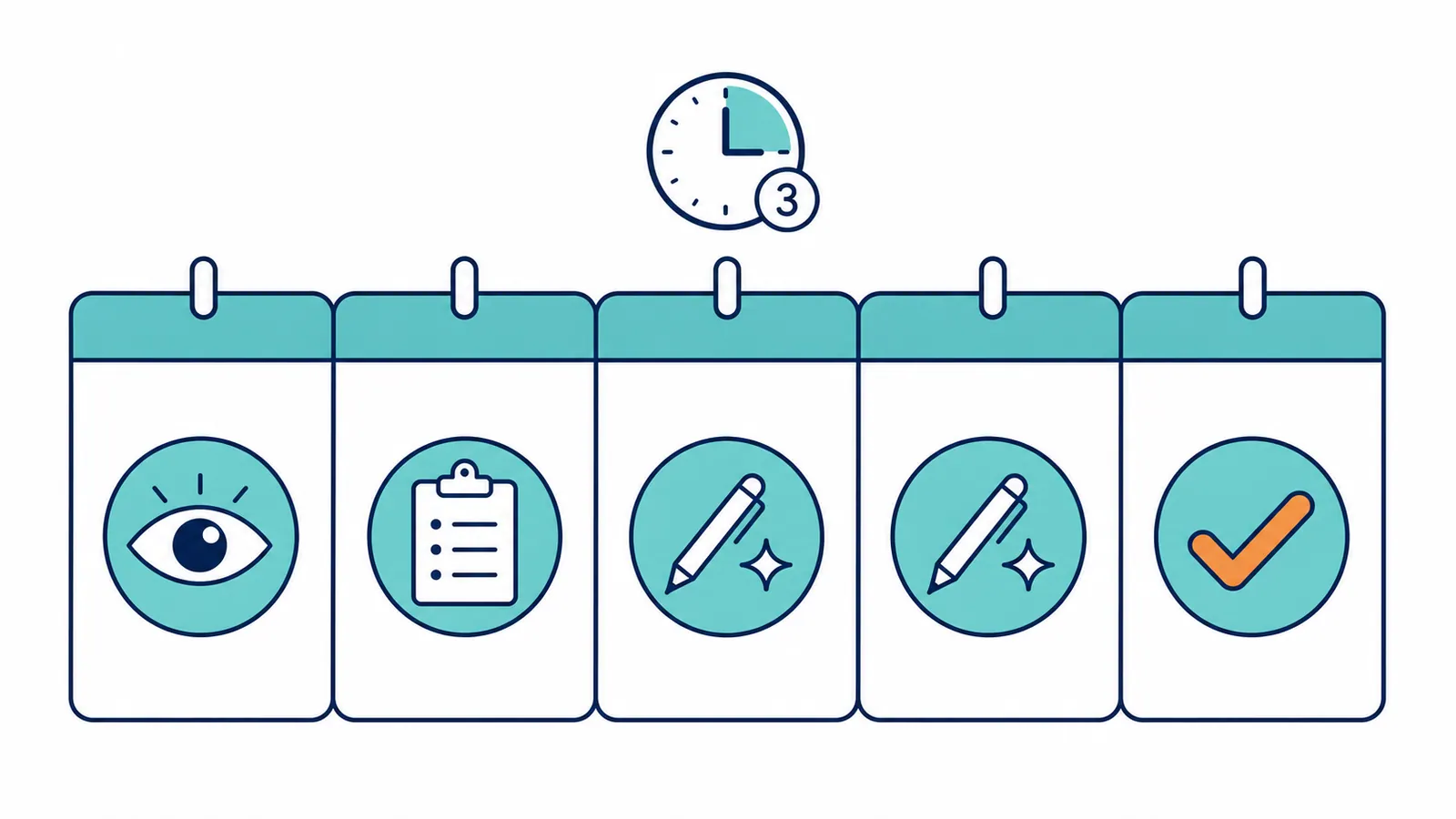
- Monday (30 min). Review Search Console. Pick this week's 2 to 3 optimization targets from the striking-distance list.
- Tuesday (60 min). Run the audits. Write the edit briefs. One per target.
- Wednesday and Thursday (90 min). Draft and ship the updates. Use the prompt library above. Edit aggressively.
- Friday (15 min). Log the changes. Set calendar reminders for the 14-day and 30-day measurement checks.
That is roughly 3 hours per week. Most teams either skip it entirely or spend 8 hours doing it badly. The middle path is the leverage point.
A worked example: a striking-distance refresh
This is a hypothetical example. The blog, the page and every number below are invented to show the workflow; they are not results from a real site.
Say a B2B SaaS blog has a post on "best Slack alternatives" ranking at position 14. Decent impressions (~3,400 a month). CTR is 1.1%. The page gets 38 clicks a month. The post is 2,200 words, written 18 months ago.
The audit. Surfer flags 12 missing terms, three weak headings, and a structure that does not match the top-ranking results. The top three results all have comparison tables. The post does not.
The brief. Add a comparison table at the top covering five alternatives with four columns (name, best for, free tier, starting price). Rewrite the intro to answer "what is the best Slack alternative" in the first sentence. Add three FAQ entries below the post. Refresh the publish date and last-updated stamp.
The draft. ChatGPT can produce a first version of the comparison table and the FAQ in about 10 minutes. Expect the intro rewrite to take a couple of AI passes and one human pass to land.
The ship. Budget about 90 minutes end to end, including the editing.
The measurement. Check impressions and CTR at day 14, then position and clicks at day 30 and day 60. Do the arithmetic before you start: at 3,400 impressions a month, every extra point of CTR is about 34 more clicks, and moving from position 14 onto page one is where most of the upside sits. No one can promise that the page moves; the 14- and 30-day checks tell you whether it did.
The takeaway. A single optimization run on a page that already exists costs about 90 minutes and an AI subscription. Whether it pays back is something you measure, page by page. Run the same loop across 20 striking-distance pages over a quarter and the change log shows you which kinds of edit are worth repeating on your site.
When AI content optimization will not save the page
A few honest scenarios where no amount of AI optimization will help.
The page targets the wrong query. If your "best Slack alternatives" post is actually about Slack itself, no optimization will move it onto the right SERP. Rewrite the angle or kill the page.
The page is on the wrong site. Some queries belong on a site with stronger authority. If your site has 12 referring domains and the top three results are sites with 12,000, the gap is not content quality. It is authority. Optimize the page anyway, but expect a ceiling.
The page is unsalvageable. Some posts were never well-written. Five paragraphs of fluff cannot become a useful page through optimization. Sometimes the right call is to delete it and write something new on the same URL.
The intent has shifted. Queries change shape over time. A query that used to be informational sometimes becomes commercial. If the intent has moved and your page is the wrong format for the new intent, optimization will not bridge it.
Honest diagnosis saves the optimization budget for the pages that can move.
Scaling AI content optimization across the site
The single-page workflow above is the building block. Scaling it to a 50, 200, or 500 page site requires three additional disciplines.
Batch by cluster. Instead of picking the next striking-distance page at random, pick the next cluster. Optimize four or five related pages in a single sprint. The internal links naturally land. The topical authority lifts as a group. Search engines notice clusters more than they notice isolated pages.
Build a refresh calendar. Tag every page with a "last optimized" date. Every 90 days, the calendar surfaces the pages that have not been touched. The freshness signal stays alive. Decaying queries get caught early.
Track outcomes per page, not per change. A page can take three or four small updates before it moves. The right unit of measurement is the page's overall trajectory over 60 to 90 days, not whether the single comma you fixed produced movement.
When all three disciplines are in place, AI content optimization stops being a one-off task and becomes a continuous system. The site stays sharp without anyone reminding anyone.
How AI content optimization changes editorial roles
Three shifts worth naming.
Writers spend more time briefing, less time drafting. AI handles the draft. The writer's value moves up the stack into the brief. Picking the angle, defining the structure, ensuring originality. A good brief in 2026 is worth more than two okay drafts.
Editors spend more time on judgment, less on mechanics. AI catches typos and structure issues cleanly. The editor's value moves to "is this true," "is this useful," "is this on-brand." The harder, more interesting work.
Strategists spend more time on what to write next. The brief queue used to be a bottleneck. Now it is the cheap part. The expensive part is deciding which briefs to write. That is strategy work, and AI does not do it for you.
If you have a content team and AI content optimization has not changed their roles, the AI is not being used. The tools were not the change. The roles were.
How to handle a quality dip mid-rollout
It will happen. Around weeks 4 to 8 of a real rollout, most teams hit a quality dip. The first batches were careful. The middle batches drift. Three signs to watch for and what to do about each.
Sign one: posts start sounding like the optimizer. The same phrasing patterns. The same exact term lists in every section. The fix: tighten the brief. Add explicit voice and style constraints. Move some of the editing work back from the AI to the human.
Sign two: CTR stops moving on shipped changes. This usually means the title rewrites have lost their edge. The rewrites are too similar to the originals or too keyword-stuffed to attract clicks. The fix: include a competitor scan in every brief. Read the SERP titles before drafting.
Sign three: stakeholder pushback on a published post. A reader, an executive, or a customer notices something that does not sound right. Treat this seriously. One quality complaint is worth ten optimizations.
The honest framing: a quality dip is the system telling you to slow down, not stop. Cut weekly output in half. Tighten the briefs. Watch the next batch closely. Output recovers in two to three weeks. The dip is part of the learning curve, not a failure of the approach.
Using AI for on-page and article SEO
Two related searches — how to use AI for on-page SEO and how to use AI for article SEO — point at the same workflow with different emphasis. On-page is element-level (title, meta, schema, links). Article is structure-level (intro, sections, FAQ, depth).
On-page SEO with AI
Title and meta: Export the page's target keyword, current title, current meta, and top three SERP titles. Prompt: "Write three title options under 60 characters and two meta options under 155 characters. Lead with the keyword. Match our tone: [paste example]." Pick one. Edit. Ship.
Schema: Ask the AI to draft FAQ schema from the page's H2s, or generate Organization/Product schema fields from your existing copy. Validate it in the Schema Markup Validator, which checks every schema.org type, and run Product markup through Google's Rich Results Test as well. The Rich Results Test stopped checking FAQPage in June 2026, after Google stopped showing FAQ rich results.
Internal links: Provide the URL, its primary keyword, and a list of 10 related pages on your site. Ask for three natural anchor-text suggestions. Human checks relevance before adding links.
Agent shortcut: On WordPress, RankHive drafts on-page fixes from your GSC data automatically — titles, metas, schema, internal links — and queues them for approval. See From GSC Data to Shipped WordPress Fixes.
Article SEO with AI
Gap analysis: Paste your article URL and the top three ranking competitors. Ask: "What topics do competitors cover that this article misses? List gaps as H2 candidates." Do not paste competitor text verbatim — use the gap list as a brief for original writing.
Section drafting: For each missing H2, prompt with the section topic, target keyword, word count, and tone. Draft. Edit heavily. The AI provides structure; you provide judgment and facts.
FAQ blocks: Ask for 5–7 reader questions the article should answer. Add answers from your expertise. Implement as visible FAQ content plus FAQPage schema.
For best AI tool for SEO writing, Surfer and Frase excel at long-form drafting with SERP awareness. For best AI tool for SEO content optimization on existing pages, pair a content optimizer with an execution agent. See What's the Best AI Tool for SEO?.
Frequently asked questions
Is AI content optimization the same as AI content generation?
No. Optimization improves what exists. Generation creates new. Optimization usually has higher ROI per hour. Generation is essential for filling new topics, but it should run alongside optimization, not instead of it.
Will Google penalize an AI-optimized page?
Not for the AI involvement. Google's stance is consistent. Quality matters, production method does not. AI-edited content that is true, useful, and edited by a human ranks fine. Lazy AI content does not.
How often should I re-optimize the same page?
Once a quarter is plenty for stable pages. Once a month is overkill. The exception is breaking topics where the SERP keeps shifting. Those may need monthly attention.
Can a content optimizer fix my whole site?
No. Content optimizers fix individual pages. The strategy across pages. What to write next, which clusters to build, which posts to retire. Is human work supported by data, not by an optimizer.
Do I need both Surfer and an agentic tool?
Often yes. Surfer is the best place to draft a single piece. An agentic tool is the best place to run the recurring loop across the site. The two solve different problems.
What is the best AI tool for SEO writing?
SurferSEO and Frase for SERP-aware long-form drafting. ChatGPT or Claude for speed when you bring your own brief. None of them ship to your CMS — pair with an agent or manual publishing workflow.
What is the best AI tool for SEO content optimization?
For optimizing existing pages: RankHive on WordPress (GSC-grounded drafts plus execution) or Surfer/Clearscope for manual rewrites. For new content from scratch, Surfer or Clearscope. See What's the Best AI Tool for SEO?.
How do I use AI for on-page SEO vs article SEO?
On-page = titles, metas, schema, internal links on existing URLs. Article = section structure, depth, and FAQ on long-form content. Both use AI drafting plus human approval. The on-page and article workflows above cover each path step by step.
A 90-day AI content optimization rollout
Most teams that try AI content optimization stop after week three. The work feels small. The results take longer than expected. The discipline slips. Here is a 90-day rollout that gets past the slip.
Days 1 to 14. Foundations.
- Connect Search Console. Pull the last 90 days of data. Identify your striking-distance list.
- Set up one content optimizer subscription. Use the trial.
- Pick the first three pages to optimize. Each from a different topic cluster.
- Write briefs for all three. Save them in a shared folder.
Days 15 to 30. The first batch ships.
- Optimize all three pages from week 1's briefs.
- Tag each change with date, URL, and change type.
- Set calendar reminders for the +14 day and +30 day outcome checks.
- Pick the next four targets. Brief them.
Days 31 to 60. Hit the rhythm.
- Ship two optimizations per week. Eight total over the month.
- Run the +14 day check on week 1's batch. Note movement.
- If a page has not moved at all, diagnose: is the brief weak? Is the intent wrong? Is the SERP locked?
Days 61 to 90. Refine and scale.
- Ship three optimizations per week if the previous month's quality held. Two if it slipped.
- Run the +30 day check on the first month's batch.
- Audit the change log: which categories of change produced the most movement?
- Plan the next quarter's roadmap based on what worked.
After 90 days you have a working AI content optimization system. The output stabilizes. The hour count drops. The change log starts telling you which kinds of edit move pages on your site.
Related reading
- The Complete Guide to AI for SEO (2026)
- AI SEO Optimization Tools: Which Type to Choose
- Best AI SEO Tools in 2026 (Compared and Ranked)
- Keyword Gap Analysis: Find Missing SEO Opportunities
- How to Improve WordPress SEO in 2026
Your job is to move your striking-distance pages onto page one, a few every week. Do it by hand with the six steps above, or let RankHive find those pages in your Search Console, draft the updates, and ship them to WordPress after you approve them.