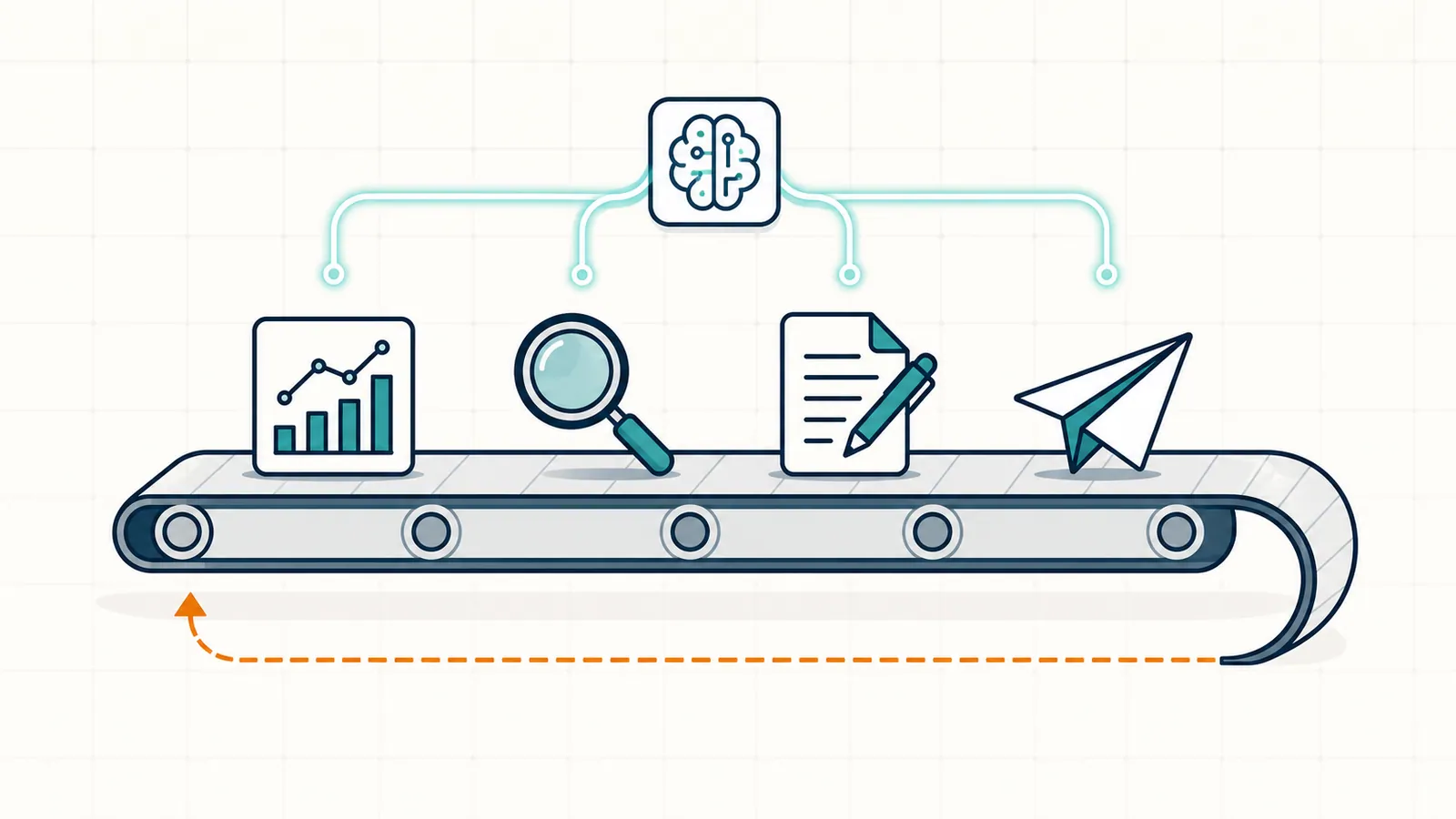
To automate SEO, automate the data pulls, crawls, alerts and reports completely, use AI to draft titles, meta descriptions, schema and content updates that a person approves before they go live, and keep strategy, link building and brand voice manual. The rest of this guide is how to do that in order, with the tools for each step and a 30-day rollout plan.
Most of SEO is repetitive. Pull the data. Find the gap. Draft the fix. Ship the fix. Log what changed. Watch the result. The same loop, every week, for every site. Most teams either run this loop poorly (because it is boring and easy to skip) or run it well for three months and then drift off it (because it is boring and easy to skip).
So the question is not whether to automate SEO. The question is which parts of that loop to automate, in what order, and where to keep a human in the seat. Get the answer right and the weekly loop stops depending on willpower. Get it wrong and you ship junk to a live site at scale, which is far worse than doing nothing.
This playbook is the answer. It covers exactly which SEO tasks are safe and effective to automate in 2026, which are not, the tools to use for each, and a 30-day rollout plan that gets a small team from "doing all of SEO by hand" to a sustainable, mostly-automated cadence. If you have been searching for how to automate SEO, how to automate SEO reporting, how to automate SEO tasks, or how to automate SEO with AI. You are in the right place.
Last updated: October 13, 2026.
The 30-second version
- Automate data pulls, alerts, reports, crawls, and pattern matching all the way. This is mature and safe.
- Automate drafting of titles, metas, schema, alt text, and content updates with AI. Always keep a human approval step.
- Do not automate publishing without review, link acquisition, brand voice judgment, or strategic IA decisions.
- The biggest single time-saver in 2026 is an agentic SEO loop that combines all of the above into one queue.
- A clean rollout takes 30 days. The compounding payoff shows up in months two and three.
Why SEO automation is finally worth doing in 2026
Three things changed in the last three years that made SEO automation finally cross the line from gimmick to default.
Data pipes got good. Google Search Console's API, GA4's reporting API, and modern crawler APIs all return clean, joinable data. The plumbing problem that used to eat half a Saturday is now a 15-minute setup.
AI got useful at bounded tasks. Title rewrites. Meta descriptions. FAQ blocks. Schema. Alt text. Internal link suggestions. These are the artifacts AI handles well in 2026. The accuracy on these specific shapes is high enough that the human review step is fast.
Agentic platforms learned the approval pattern. The 2023 to 2024 wave of "AI publishes for you" tools mostly failed. The 2025 to 2026 wave runs on the queue-and-approve pattern, which keeps the human in the decision loop without putting the human back in the data-pull and drafting loops.
The result is that a one-person SEO function can now sustain the output of a 2022 three-person team. Not because the person is faster. But because the boring parts of the loop run on their own.
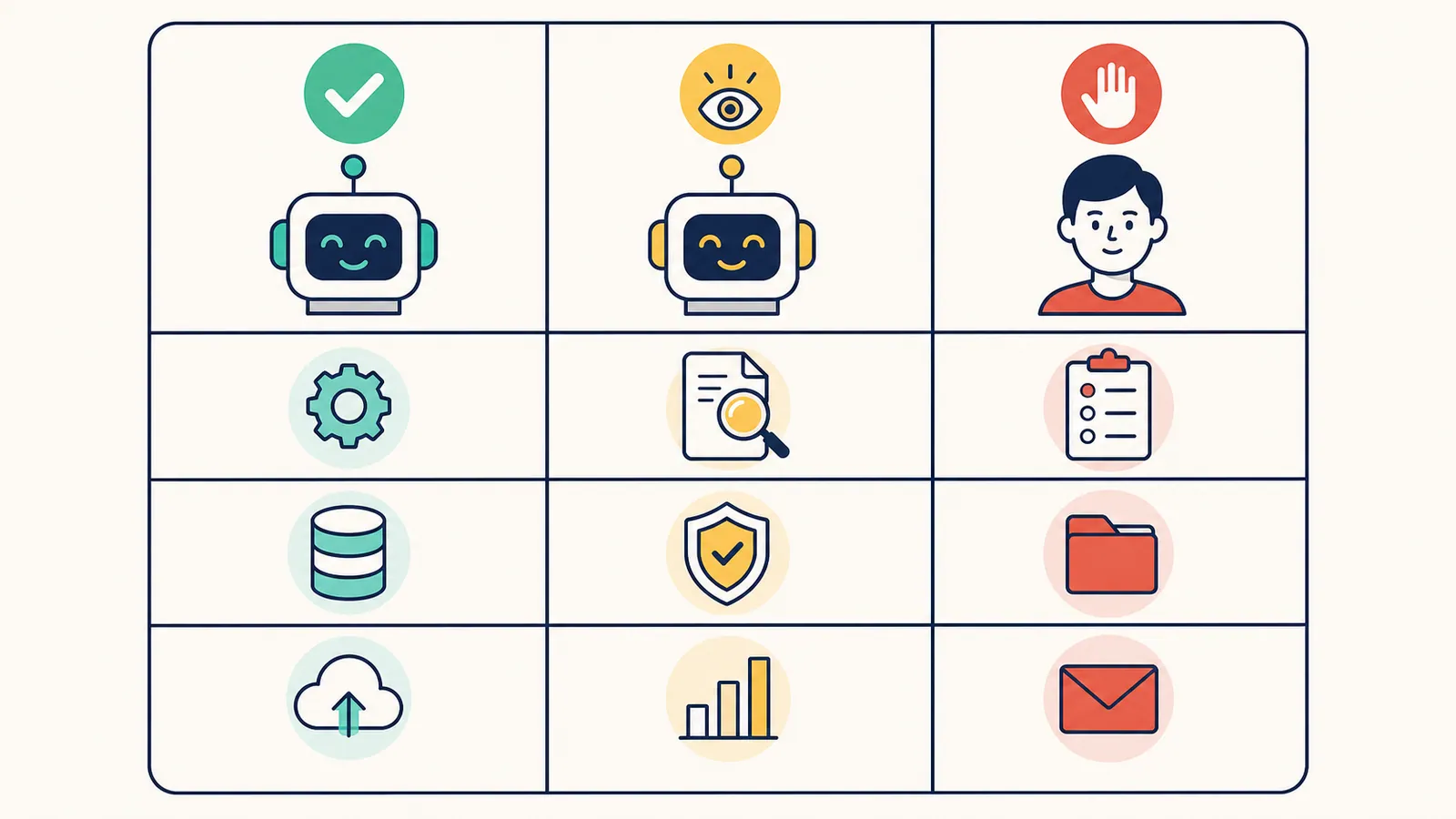
Map of SEO tasks. What to automate, what to keep manual
| Task | Automate? | Tool category | Notes |
|---|---|---|---|
| Search Console data pulls | Fully | GSC API / dashboards | Mature, accurate. |
| Rank tracking | Fully | Rank trackers | Useful as trend signal only. |
| Site crawls / technical audits | Fully | Screaming Frog, Ahrefs, RankHive | Schedule weekly. |
| Keyword research | Mostly | AI tools + keyword APIs | Human picks the targets. |
| Striking-distance detection | Fully | GSC + AI agent | Best with first-party data. |
| Title and meta drafting | With approval | AI / agentic tools | Always review tone. |
| Schema markup | With approval | AI / agentic tools | Validate with Rich Results Test. |
| Alt text | With approval | AI / agentic tools | Batch-approve for low risk. |
| Content updates and refreshes | With approval | AI / agentic tools | Edit before publishing. |
| Net-new long-form content | Carefully | AI content tools | Heavy human editing. |
| Internal linking | With approval | AI / agentic tools | Watch for over-linking. |
| Link acquisition / outreach | Manual | - | Automation here = penalty risk. |
| IA / site structure decisions | Manual | - | Strategic, irreversible. |
| Brand voice / messaging | Manual | - | Humans only. |
| Crisis response | Manual | - | Diagnostic, judgment-heavy. |
The two columns that matter: what is safe to fully automate, and what is safe to draft with AI but approve manually. Anything in the third bucket. "automate" in scare quotes. Is where teams get burned.
Step 1. Automate the data layer
This is the easiest and highest-ROI step. The goal is simple: never log in to a dashboard to "check on SEO" again. The data should come to you.
What to set up.
- Google Search Console connected to a Looker Studio dashboard (free). Use a community template. Total setup time: 15 minutes.
- GA4 connected to the same dashboard.
- A weekly email digest. Looker Studio supports scheduled delivery natively.
- Alerting on key metric changes. Traffic drops over 20%, indexing errors, manual actions. GSC sends some of these for free. A monitoring tool like ContentKing can do more.
What you now have: a single, auto-refreshing view of the data and proactive alerts when something breaks. You stop opening Search Console "to check." You start opening it when the dashboard tells you to.
Time saved. One to two hours per week, every week, forever. Compounding from week one.
Watch out for. Dashboard sprawl. Build one good dashboard. Resist the temptation to add a second one for "executive visibility." The executive can read the same one.
Step 2. Automate the technical audit
Run a recurring crawl. The point is not to look at the crawl every week. The point is to be notified when something changes. A static technical audit is a project. A scheduled crawl with diff alerts is an automation.
What to set up.
- Screaming Frog scheduled weekly (paid version supports this). Or Ahrefs Site Audit if you already have an Ahrefs subscription. Or the technical audit module in RankHive, which feeds findings into the same review queue as on-page proposals.
- Issue alerts. Broken links, missing titles, missing metas, redirect chains, 4xx and 5xx pages, slow pages, indexability changes.
- A baseline. Run the first crawl manually. Fix the critical issues. Then schedule the recurring crawl.
Time saved. Two to four hours per month versus running manual crawls.
Watch out for. Alert fatigue. Tune the thresholds. A 1% change in page speed is noise. A 20% change in indexed pages is a real signal. If your alerts fire every day, you stop reading them.
Step 3. Automate keyword opportunity detection
The most valuable automation step. What you want is a system that compares your Search Console queries against your current ranking pages and flags four things:
- Striking-distance keywords. Positions 5 to 15 where a tighter title or content update could push you onto page one.
- Cannibalization. Two of your pages competing for the same query.
- Declining queries. Pages where your ranking or CTR is slipping over the last 30 days.
- Net-new opportunities. Queries you are getting impressions for but no clicks, often signaling a missing page.
You can build this manually with a Search Console export and a spreadsheet. It takes about two hours a week to do well. Or you can use an AI agent that runs the analysis every week and queues drafts. The deeper write-up on the analysis itself is in Keyword Gap Analysis: Find Missing SEO Opportunities.
Tooling options that work for this step:
- Manual: GSC export plus a Google Sheet with conditional formatting.
- Light-touch automation: Looker Studio with custom calculated fields plus weekly delivery.
- Full automation: an agentic platform that runs the analysis and proposes drafts in one queue.
The full-automation option becomes worth it once you have more than ten changes per month to prioritize. That is what auto SEO done safely looks like: the analysis and drafting run every week, and a person still approves every change.
Here is that step with RankHive on a WordPress site. Each week it reads your Search Console data and looks for queries in positions 5 to 20, two of your pages competing for one search, and pages losing clicks over the last 90 days. Each finding arrives as a drafted change rather than a spreadsheet row: the new title, the 301 that merges two pages, the rewritten section, with the query, impressions and position behind it. You approve, edit or discard it, and approved changes ship to WordPress.
Step 4. Automate SEO drafting with AI (the careful part)
This is where most teams either go too fast (auto-publish AI content, get burned) or too slow (refuse to use AI at all, fall behind). The middle ground that works is simple to state and hard to discipline yourself into.
- Use AI to draft, not to publish.
- Constrain the AI to specific artifact types: title, meta description, FAQ block, schema markup, internal link anchor, alt text, content refresh diff.
- Always show the why. The evidence the agent used to produce the draft.
- Require human approval before anything ships to the live site.
A short list of artifacts you can safely draft with AI in 2026:
- Title rewrites for low-CTR pages.
- Meta descriptions for pages without one.
- FAQ sections for service or product pages.
- JSON-LD schema. Always verify with Google Rich Results Test.
- Alt text for images. Batch-approve for low risk.
- Internal linking suggestions with anchor text and source URL.
- Content updates for sections that have drifted out of date.
- Outline drafts for new posts.
A short list of artifacts to not let AI auto-publish even with approval:
- Net-new long-form content. Let AI draft. Heavy human editing required.
- Anything legal, financial, or medical.
- Tone-of-voice critical pages. Homepage, sales pages, founder posts.
- Anything attributed to a specific named author.
The prompt structure that works. Most teams under-prompt AI for SEO drafting tasks. The four-part frame is consistent across every artifact type:
- Role. "You are an SEO editor reviewing drafts for a WordPress publisher in the SaaS space."
- Context. Paste the page, the target query, the top three SERP titles, the Search Console data for the URL.
- Task. "Suggest three rewrites for the title and meta. Title under 60 characters. Meta under 155."
- Constraints. Forbidden words, voice notes, formatting rules.
Save this template once. Reuse it. The output quality roughly doubles compared to a one-line prompt.

Step 5. Automate the publishing handoff
The slowest step in most SEO workflows is the bit after the change is approved. Someone has to log into WordPress, open the page, paste the change, save, and verify. Multiply that by 20 changes a month and you have lost a full day to copy-paste.
What to set up.
- A clean publishing API. WordPress REST API works out of the box. Custom CMSes vary.
- A change log. A simple table with URL, date, change type, and link to the diff.
- A revert path. Either snapshot the previous version inside the tool or rely on WordPress revisions.
For WordPress sites, this is the single biggest reason to consider an agentic platform like RankHive. The approved change pushes to the site automatically and gets logged. You skip the copy-paste step entirely. The human stays in the loop at approval, not at paste. If you are comparing products for this step, SEO automation software compared by what it automates shows where each type of tool stops — most end at the report, before the publishing handoff.
For non-WordPress CMSes the equivalent setup uses Zapier, Make, or n8n to bridge the approval queue to the publishing API. It is more brittle than a native plugin but it works.
Watch out for. Publishing to staging first if you have a staging environment. The cost of a bad publish to production is high. A 10-second smoke check on staging is cheap insurance.
Step 6. Automate the outcome tracking
Every change should have an outcome attached. CTR. Impressions. Rank. Traffic. Without this loop, you cannot tell which automations are working and which are noise. The whole system silently rots.
Set this up once.
- Tag every change with URL plus date. A row in a table is enough.
- Pull the GSC metrics for each affected URL on a +14 day and +30 day cadence.
- Roll the deltas into the weekly digest.
- Make the underperformers visible so you can revert or iterate.
A change with no outcome attached is technically debt. A change with a measured outcome is a feedback signal. The whole point of the loop is the feedback.
What to keep manual (and why)
A short list of work that is not a good automation target in 2026.
- Link building outreach. Automated outreach is a fast path to spam filters and Google penalties. The outreach itself can be templated. The relationship-building cannot.
- Strategic IA decisions. Folder structures, taxonomy decisions, navigation changes. The cost of getting it wrong is too high. Think first. Ship slowly. Do not let an AI propose a sitemap rewrite.
- Brand voice calibration. Humans pick the voice. AI matches it. If your tone-of-voice doc lives in a writer's head and nowhere else, your AI drafts will drift.
- Editorial judgment on net-new long-form content. AI can draft. A human must edit before publishing. Skipping the edit is the most common path to a content quality penalty in 2026.
- Crisis response. Manual actions. Sudden traffic drops. Algorithm-update aftermath. The diagnosis is human work. The fix may use automation. The diagnosis does not.
A 30-day rollout plan
Week 1. Instrument the data layer.
- Day 1: Connect GSC and GA4 to Looker Studio.
- Day 2: Pick a community template and customize the four tiles you actually care about.
- Day 3: Schedule the weekly digest email.
- Day 4: Enable basic alerts. Traffic drop, index errors, manual actions.
- Day 5: Document where the dashboard lives. Tell the team.
Week 2. Schedule the technical audit.
- Day 6: Pick Screaming Frog, Ahrefs Site Audit, or an agentic tool.
- Day 7: Run the first crawl manually. Read the output.
- Day 8 to 10: Fix the critical issues from the first crawl.
- Day 11: Schedule the recurring crawl. Wire the alerts into Slack or email.
- Day 12: Tune the thresholds so the alerts mean something.
Week 3. Pilot AI-drafted changes on safe surfaces.
- Day 13 to 15: Use AI to draft meta descriptions for 10 pages without one.
- Day 16: Review, approve, ship.
- Day 17 to 19: Repeat with alt text on the top 10 highest-traffic image-heavy pages.
- Day 20: Check the diff. Confirm no nonsense made it through.
Week 4. Close the loop with weekly review.
- Day 21: Block a recurring 30-minute slot. Same day. Same time. Every week.
- Day 22 to 25: Use it to review whatever the tool surfaces. Ship the approved changes.
- Day 26 to 28: Tag the changes for outcome tracking.
- Day 29: Set the calendar reminders for the +14 day and +30 day outcome checks.
- Day 30: Reflect. What stuck? What did not? Adjust.
After 30 days you will know which automation steps stuck. After 90 days the cadence will feel natural. Six months in, the weekly time investment drops below an hour and the output stays steady.
Common mistakes when automating SEO
- Automating reporting before doing any work. A nicer dashboard does not produce SEO outcomes. Build the dashboard after the workflow runs.
- Auto-publishing AI content. The fastest way to damage a site in 2026. Do not let any tool ship to a live site without an approval gate.
- Stacking five tools that do the same thing. Pick one workflow. Use it for 90 days. Then evaluate gaps.
- Skipping the outcome loop. Without tracking results, you cannot tell if anything is working. Tag every change. Read the +30 day numbers.
- Treating automation as a one-time setup. The whole point is the recurring cadence. A great setup that nobody runs after week two is worse than a worse setup that runs every week.
- Confusing AI chat interfaces with agents. A chat box on a dashboard is not an agent. An agent does the work without being asked.
- Forgetting humans. Automation lets you ship more changes. It does not let you ship better changes if your editorial bar is low. Raise the bar before turning up the volume.
A worked example: a 50-page WordPress site
This is a hypothetical example, not a client story. The company and the numbers are invented to show what the playbook above looks like in practice.
Picture a small B2B SaaS with 47 indexed pages, one part-time SEO, and a habit of "checking" GSC every two or three weeks. Here is what running the playbook could look like.
Before:
- Two hours per week, on average, doing SEO. Most of it spent in Search Console without a clear plan.
- Three pages refreshed per quarter.
- No tracking of which changes worked.
After 30 days:
- Data layer running. Looker Studio dashboard. Weekly email digest.
- Technical audit scheduled. Say the first crawl turns up 12 broken internal links and 4 missing canonicals, and they get fixed.
- 18 meta descriptions rewritten with AI and shipped after approval.
- 22 alt text additions shipped.
After 90 days:
- 31 striking-distance pages refreshed.
- 8 net-new posts targeting unclaimed gaps.
- Every change tagged in a log, with its +30 day numbers next to it. That log, not a single traffic figure, is what tells the team whether the playbook is working and which kinds of change to do more of.
The bigger shift is the team's relationship to SEO. SEO stops being a thing that needs to be remembered. It becomes a thing that runs on a schedule and surfaces when there is a decision to make.
Frequently asked questions
Will automated SEO get me penalized?
Not by itself. Penalties come from low-quality output and manipulative tactics. Not from automation. The automation patterns in this playbook keep humans in the approval seat for every shipping decision. That is the part Google actually cares about.
Can I automate link building?
No. Or rather, you can, but you should not. Automated outreach gets your domain into spam filters and your brand into bad-neighborhood lists. Templated outreach with human-in-the-loop is fine. Bulk fire-and-forget is not.
How long until I see results?
CTR moves first. Usually within 14 days of a title or meta change. Rank changes show up in 30 to 60 days. Traffic compounds over 90 days. Most of the gain in the first 90 days comes from refresh-and-improve work, not net-new content.
Do I still need a writer if I automate drafting?
Yes. AI drafts get you 60 to 70% of the way to a publishable artifact. The last 30%. Voice, accuracy, originality. Is human work. Sites that skip the editor still rank, until they suddenly do not.
What is the simplest automation I can ship this week?
A scheduled weekly Looker Studio email with the four metrics you care about. 15 minutes to set up. Saves an hour a week forever.
What year two of SEO automation looks like
The 30-day rollout is the start. Year one is mostly about building the habit and proving the system works. Year two is where the compounding shows up. And where the upgrades happen.
The cadence loosens. The weekly review gets faster as you learn which proposals you always approve and which you always discard. The approval batches get bigger. The cycle time per change drops.
Outcome data becomes the planning input. Year one tracks deltas. Year two tracks which categories of change produce the biggest deltas. The roadmap stops being "ship more" and starts being "ship more of the right kind."
Strategic time expands. With the recurring work running on rails, the human's calendar opens up for the work that actually moves the business. New product launches. Major content investments. Brand and link strategy.
Tool consolidation. Year one's stack often includes redundancies you did not know about. Year two is where you cancel the two tools you stopped using. Save the money. Reinvest it in writers or links.
Compounding visible in analytics. By year two you have a full year of logged changes and their outcomes to compare against. How much traffic moves depends on the underlying business: niche, intent, content quality. No one can promise a percentage. What the log gives you is evidence of which work moved your pages and which did not.
The honest framing: SEO automation does not produce magic in year one. It produces a habit. The habit produces the year-two results.
Related reading
- How to Automate SEO Reporting (Tools and Templates)
- SEO Automation Software: Compare Auto SEO Tools
- Best AI SEO Tools in 2026 (Compared and Ranked)
- What Is Agentic SEO? AI SEO Agents Explained
- Keyword Gap Analysis: Find Missing SEO Opportunities
- The Complete Guide to AI for SEO (2026)
Your job is to run this loop every week without drifting off it. Do it by hand with the 30-day plan above, or let RankHive run the pull, analysis and drafting on your WordPress site and ship each change after you approve it.