
A keyword gap analysis compares the keywords your competitors rank for with the keywords you rank for, and lists the queries where they show up and you don't. It is the same exercise as a content gap analysis: each row is a topic with demand already proven by someone in your space, and the output is a prioritized list of pages to write or improve.
It is the most efficient way to build an SEO roadmap. Instead of starting from a blank page and guessing, you start from a list of queries that already bring traffic to sites like yours, and you work your way down it. The list is not the strategy — judgment still picks what to write — but it gets you to a strategy in an afternoon instead of weeks.
This tutorial covers what a keyword gap analysis is, how it differs from ordinary keyword research, the tools you need, a step-by-step process including the cross-check most guides skip, a spreadsheet template, filled-in examples, and what to do when the gap is empty or overwhelming.
Last updated: October 13, 2026.
TL;DR
- Keyword gap analysis = list the keywords your competitors rank for and you don't, then filter, cluster, cross-check against your own content, score and write.
- You need a keyword tool (Ahrefs, Semrush, Mangools or similar) for the competitor side. Search Console covers your side for free.
- Compare against content competitors — sites that rank for your queries — not just business competitors.
- Sort every surviving keyword into no coverage, weak coverage or covered. Only the first two are gaps.
- Score by volume, difficulty, intent fit and effort. The unfiltered gap is noise.
- Re-run it quarterly. The output is a 90-day roadmap, not a one-off idea list.
What "keyword gap analysis" actually means
Keyword gap analysis compares two or more sites' rankings. The output is a list of queries that meet two conditions:
- At least one competitor ranks for the query, usually in the top 20.
- You do not rank for it, or rank much lower (below about position 50).
Each row is a content idea with built-in validation. Someone in your space proved the query has traffic, that the results page is winnable, and that the topic is worth a page. Your job is to write a better version, or one that targets a different angle of the same query.
The same exercise goes by several names: content gap analysis, competitive keyword analysis, keyword overlap analysis. Vendors brand the feature differently ("Content Gap" in Ahrefs, "Keyword Gap" in Semrush), but it is one idea.
Gap analysis vs ordinary keyword research
Ordinary keyword research starts from a blank page: brainstorm topics, put seed terms into a tool, see what comes back. It is generative, and it is the right way to find genuinely new territory nobody in your space has covered.
A gap analysis starts from someone else's success. If three competitors all rank for "how to migrate a WordPress site without downtime", you do not have to guess whether that is a real need. Gap analysis finds proven territory you are leaving on the table. It is faster and more predictable, so if you can only do one first, do the gap analysis.
Looking at several competitors at once also shows you whole categories you have skipped: everyone else has comparison pages for a tool pairing, or glossary definitions, and you jumped straight to advanced topics. One keyword tells you about one page. A gap analysis tells you about a missing type of page.
Why most teams skip it
It needs a paid tool. You cannot see what competitors rank for without one. Worth it for almost any business doing SEO seriously; a nonstarter for hobbyists.
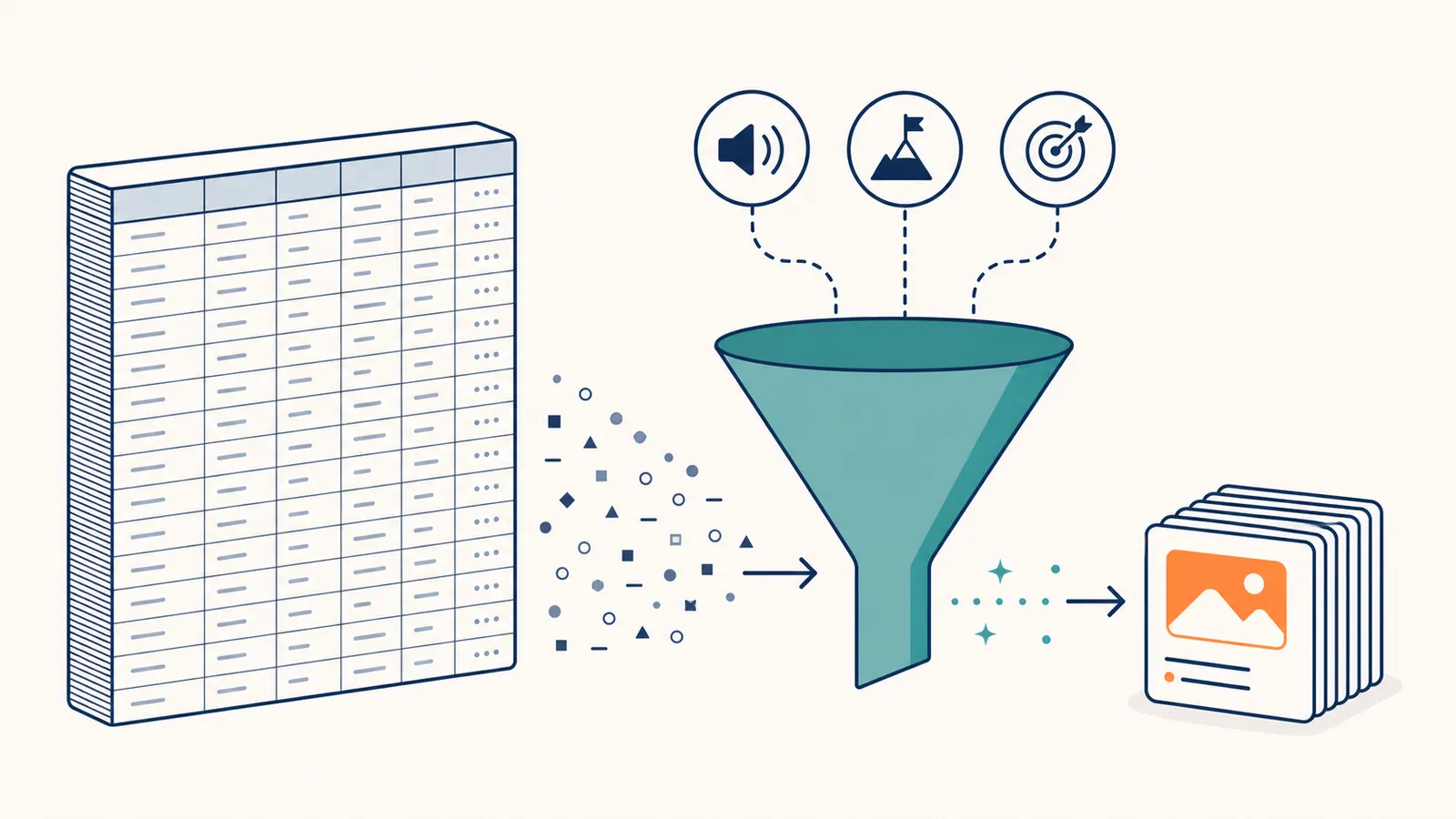
It looks intimidating. A raw export can be 20,000 rows. Most people stare at it once and close the tab. The filtering and clustering steps below cut that to 20–50 actionable clusters in a couple of hours.
It feels uncreative. Gap analysis is methodical. But the most creative writers use it to find topics, then use their creativity to write them.
What you need before you start
A keyword tool with competitor data. One of:
| Tool | Strength | Price tier |
|---|---|---|
| Ahrefs | Large keyword database, a report literally called "Content Gap" | $$$ |
| Semrush | "Keyword Gap" tool, strong competitor analysis | $$$ |
| Mangools (KWFinder) | Cheaper, smaller database | $ |
| Ubersuggest | Has a limited free tier | $ |
You do not need the top plan of any of them; the competitor-keywords report is usually in the entry tiers.
Google Search Console, to confirm which "gap" keywords you really do not rank for. Third-party tools estimate your positions and lag behind; Search Console shows what actually happened.
An inventory of your own content. A list of published URLs with the topic or keyword each one targets. A crawl export with URL and title is enough. You need it for the cross-check in Step 5.
A spreadsheet. Google Sheets is fine.
Step-by-step keyword gap analysis
Step 1. Pick the right competitors
The instinct is to compare against business competitors. That is wrong half the time. Pick content competitors: sites that rank for the queries you care about, even if they sell something different — publishers, consultants, review sites, adjacent tools.
The quickest way to find them: search five to ten of your target keywords and note which domains appear in the top 10 repeatedly. Anyone appearing three or more times belongs on the list. Or run your best pages through your tool's "competing domains" report.
Pick three to five. Mix sizes: one above your weight class (where you can grow), two about your size, one smaller. Include one or two adjacent players that share your audience but not your product; they often rank for informational, top-of-funnel terms direct competitors ignore.
Step 2. Run the gap export
In Ahrefs: Site Explorer → Competing Domains → Content Gap. In Semrush: Keyword Gap. In other tools, export each competitor's organic keywords and combine them in one sheet with a column for the source domain.
Filter to your main market, competitors ranking in positions 1–20, and you not ranking or ranking below 50. Keep keyword, position, search volume and difficulty. Export to CSV.
Step 3. First-pass filtering
The raw export is mostly noise. Filter hard.
- Relevance. Drop anything a realistic customer of yours would never search. A high-volume keyword that attracts the wrong audience does not convert and dilutes your topical focus.
- Branded terms. Competitor brand names are not gaps.
- Volume. Drop terms below your threshold — often 50–100 searches a month, lower for keywords with strong buying intent.
- Difficulty. Set aside terms above what your site can realistically win now. For sites with modest authority that is often around KD 30. Keep them on a separate tab for later.
- Language and market. Some tools mix languages.
This usually cuts 20,000 rows to a few hundred.
Step 4. Cluster the keywords
Many rows are paraphrases. "best wordpress seo plugin", "best seo plugin for wordpress" and "wordpress best seo plugin" are one page, not three. Group near-duplicates and note how many competitors rank for each group: a term where three of three competitors rank is a stronger signal than one where only one does.
Cluster by hand for a first pass (sort alphabetically, group by the main noun), or use a keyword clustering tool for lists over a few hundred rows. A good cluster has 2 to 15 related queries. Bigger usually means you are merging things that should be separate pages; smaller may be too narrow for a full piece.
Step 5. Cross-check against your own content
This is the step that turns a keyword list into a gap list, and the one most guides skip. For each cluster, check whether you already have a page that targets it, even loosely, and mark it:
- No coverage — nothing on this topic. A true gap.
- Weak coverage — you have a page, but it is thin, old or aimed at a different intent. A refresh candidate, not a new page.
- Covered — you have solid content. If it still does not rank, that is a different problem (indexing, internal links, authority), not a content gap. Note it for a technical audit and remove it from this list.
Do not mark something "no coverage" just because no title matches. A query like "how to fix a 404 error" may already be answered inside a broader troubleshooting guide. Search your own site for the core terms before declaring a gap, or you will create duplicate content that competes with your existing page.
Step 6. Score each cluster
Score four things from 1 to 5:
| Factor | What it measures |
|---|---|
| Volume | Total monthly searches across the cluster |
| Difficulty | KD of the primary keyword |
| Intent fit | How closely the query connects to what you sell or who you serve |
| Effort | Depth needed to compete with the top 3 |
Sort by (Volume × Intent fit) ÷ (Difficulty × Effort). The top of the list is your roadmap.
If that feels like too much precision, a simpler version works: score volume, winnability and relevance from 1 to 3 each and add them up. Seven to nine is a near-term priority, four to six is a later tier, below four probably does not belong on the list.
Intent fit is the column teams under-weight. A 5,000-volume query at KD 15 sounds great; if the searchers want free templates and you sell enterprise software, the traffic is worth almost nothing. Nudge a score up when several competitors independently rank for the term — that is a stronger signal of durable demand than volume alone.
Step 7. Verify each top candidate
Before committing to a long piece, open the results for the primary keyword and check three things:
- Format. What wins: guide, listicle, comparison, tool, glossary? Match it. Planning a narrative essay against a page of comparison tables is an uphill fight.
- Authority lock-in. Are positions 1–3 all very strong sites with deep pages? Then the difficulty score understated it.
- AI Overviews. Many results pages now open with an AI answer, which changes the click maths. The AI-for-SEO guide covers what that means.
A query that passes all three is worth writing. One that fails two probably gets cut.

Step 8. Build the roadmap
Put the verified candidates in a tracker (template below) and assign them to quarters. Cap each quarter at what you can actually ship: 8 to 12 posts a quarter is realistic for a small team; 25 is fantasy. If you are not publishing consistently yet, start with six. Group related gaps into clusters published close together and cross-linked, instead of scattering them across unrelated months. Weak-coverage items go into a refresh queue, not the new-content queue.
Step 9. Re-run quarterly
Competitors publish, results shift, and your own authority changes what is winnable. Re-run the gap once a quarter with the same competitor list (unless your market shifted), update the content inventory with what you published since, and revisit last quarter's low scores — a term that was out of reach six months ago may be realistic now.
How long it takes by hand
A first full pass usually takes half a day: 20–40 minutes to export and merge competitor data, 30–60 minutes to filter carefully, and an hour or more for the content cross-check if you do it by eye. Later passes are much faster, because the competitor list, template and inventory already exist. That is a reasonable quarterly investment; monthly, by hand, across many competitors, it becomes a project.
When the gap is empty (or too small)
This happens with young sites whose competitors have not published much either.
- Compare against larger sites in adjacent verticals that share your audience, even if they are not direct competitors.
- Use seed-keyword expansion. Start from 5–10 head terms and expand with your tool's keyword-ideas report.
- Mine your own Search Console. Striking distance keywords — queries where you already rank in positions 5–15 — are faster wins than any gap. A site with no gap to chase usually has plenty of those.
When the gap is overwhelming
Your competitors are huge and the export has 50,000 rows. Filter harder on winnability, then pick one or two themes per quarter rather than chasing the whole list. Look for the subset where the ranking pages are thin, old, or from a minor section of the competitor's site — those are beatable even for a smaller site. You cannot out-publish a competitor with a ten-year head start. You can out-rank them on the slice most relevant to your audience.
Worked example: a small B2B SaaS
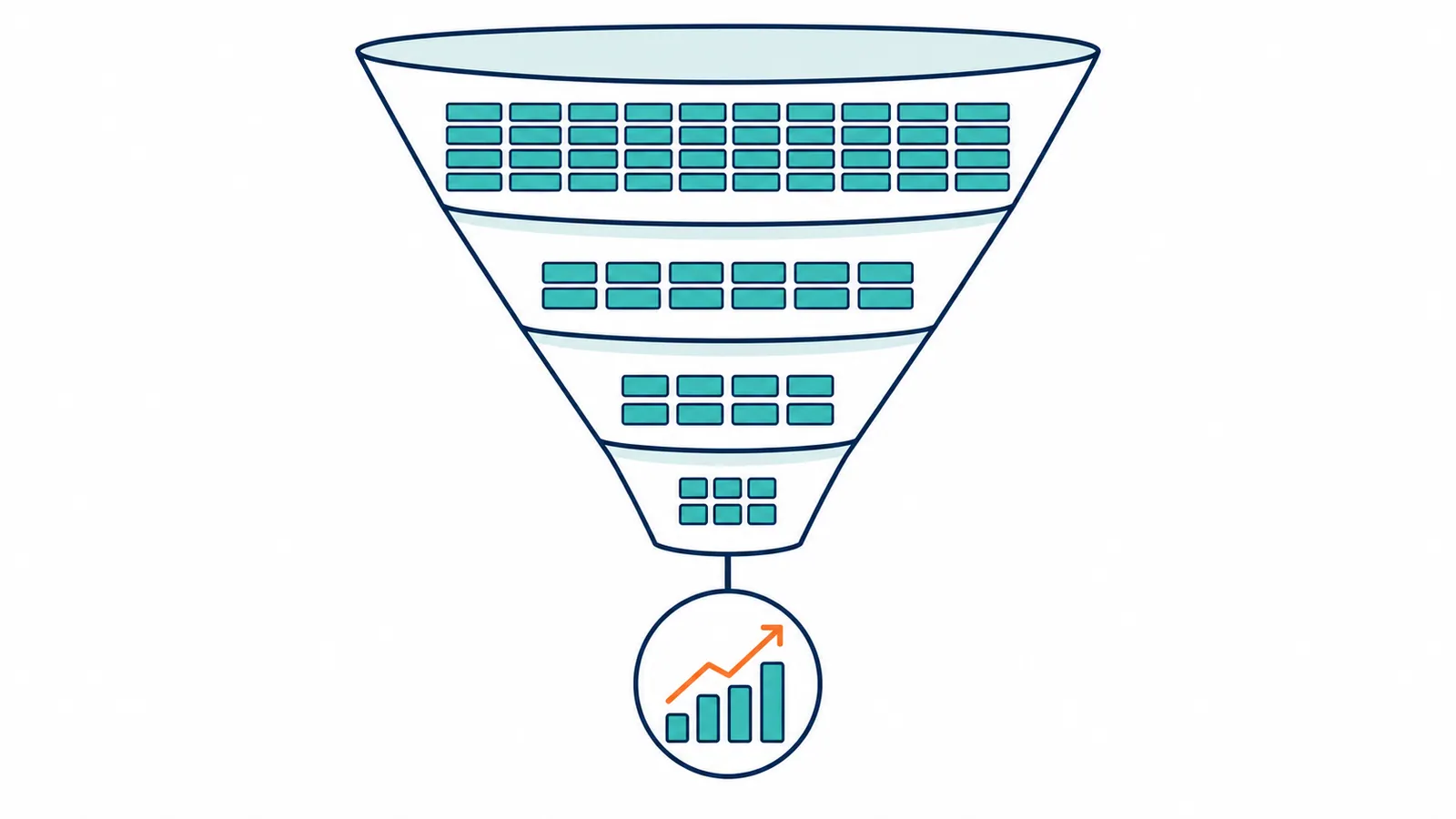
A hypothetical example; the company and numbers are invented to show how the funnel narrows.
A B2B SaaS in project management runs its first gap analysis against four content competitors: two direct competitors and two broad project management blogs.
- Export: about 11,400 rows.
- After filtering (volume ≥100, KD ≤25, US, relevant): about 480 rows.
- After clustering: 47 clusters — templates, status reports, sprint planning, retrospectives, kickoff checklists.
- After the cross-check: 6 clusters already covered, 5 weak (an old comparison page among them, moved to the refresh queue), 36 true gaps.
- After scoring and verification: 14 clusters survive; the rest have locked-in authority sites or AI Overviews that compress clicks too much.
- Roadmap: 9 posts in the next 90 days, ordered by intent fit; two clusters combined into one comparison piece because their results overlap.
At 90 days, the team measures how many of the nine shipped, how fast each was indexed, where each ranks at 30 and 60 days, and the clicks they earn. No gap analysis can promise those numbers. The analysis finds the candidates; only shipping produces results.
Example: a filled-in gap template
Here is what a few rows might look like for a hypothetical scheduling software company after Steps 1–6, using the simple 1–3 scoring:
| Keyword | Competitors ranking | Volume | Difficulty | Relevance | Coverage | Score | Notes |
|---|---|---|---|---|---|---|---|
| employee shift swap policy template | 3 of 3 | Moderate | Low–moderate | 3 | None | 8 | No template page exists; downloadable asset opportunity |
| how to reduce no-show rates for appointments | 2 of 3 | Moderate | Moderate | 3 | Weak (old, thin post) | 7 | Refresh: the post never mentions automated reminders |
| best scheduling software for salons | 1 of 3 | High | High | 2 | None | 5 | Crowded results; later tier |
| shift differential pay explained | 2 of 3 | Low | Low | 2 | None | 6 | Adjacent HR topic; secondary tier |
| scheduling software vs spreadsheet | 3 of 3 | Moderate | Low | 3 | None | 8 | Direct comparison with the status quo; high priority |
The two highest scores are not the highest-volume terms. They are the most relevant and the most widely validated by competitors. That is the scoring doing its job.
A spreadsheet template for your gap roadmap
One row per cluster:
- A. Cluster name — two to four words.
- B. Primary keyword — the highest-volume term; usually the H1 and slug.
- C. Cluster keywords — paraphrases and related queries, comma-separated.
- D. Competitors ranking — which ones, and at what position.
- E. Total volume.
- F. Primary KD.
- G. Coverage — none, weak or covered (from Step 5).
- H. Intent fit (1–5).
- I. Effort (1–5).
- J. Score —
(E × H) / (F × I), sorted descending. - K. Format — pillar, listicle, comparison, tutorial, glossary.
- L. Notes / angle — what the top results miss.
- M. Quarter assigned.
- N. Status — not started, briefed, drafted, published.
- O. Internal links in — existing pages that should link here once it ships.
- P. Outcome at 30 days — position, impressions, clicks from Search Console.
Keep the whole list, not just the top tier, so next quarter's pass is an update rather than a rebuild. Column P is where the compounding shows up.
Turn the roadmap into briefs
The roadmap says what to write. A brief says how. For each cluster you move forward, the notes column becomes the seed of a content brief: target keyword and cluster, the intent the results imply, the format that wins, a word count range based on the top results, five to ten H2s phrased as questions readers ask, and two to four internal links with anchor text. Twenty minutes per brief saves hours of writer direction later.
Common mistakes
- Comparing against the wrong competitors. Direct business competitors with weak content are a poor benchmark.
- Analyzing only one competitor. You inherit its blind spots along with its strengths. Use three to five.
- No filtering. Acting on the raw export.
- Chasing irrelevant gaps. Every gap should pass one test: would a real customer, mid-research, plausibly search this?
- Treating each keyword as a page. Clusters become pages, not keywords.
- Skipping the cross-check. Marking topics you already cover as gaps, and writing duplicates.
- Confusing "not ranking" with "no gap". A page you have on page three needs a different fix, not a new page.
- Ignoring intent mismatch. Relevant keyword, wrong format for what ranks.
- No verification step. Skipping the manual look at the results produces wasted long-form posts.
- Over-committing. A 30-post roadmap when you can ship six.
- Running it once. Quarterly is the cadence. Once is research, not strategy.
Checklist
- [ ] 3 to 5 content competitors identified, including one adjacent player
- [ ] Gap export pulled
- [ ] Filtered: relevance, branded terms, volume, difficulty, language
- [ ] Clustered: paraphrases collapsed
- [ ] Cross-checked: none, weak or covered against your own content
- [ ] Scored: volume × intent fit ÷ difficulty × effort
- [ ] Verified: top candidates' results checked by hand
- [ ] Roadmap committed: what you can actually ship next quarter
- [ ] Reminder set: re-run in 90 days
How to tell whether the gap analysis worked
Ninety days after the roadmap ships, check three things.
Shipping rate. What share of the committed posts actually shipped and got indexed? Under about 60% means the roadmap was too ambitious; halve the next one.
First 30 days of rankings. Page one is excellent, page two is normal, page three or worse means either the difficulty score lied or the post is weak.
Click trajectory. Are new posts gaining clicks week over week, or plateauing? Posts that stall within a month usually need a refresh within two.
This review is the part most teams skip, and the part that makes the next quarter's picks better.
Presenting a gap analysis to stakeholders
Lead with the competitor angle, not the keyword mechanics. "Here are three topics our competitors win that we don't cover" lands better than a spreadsheet of volumes and difficulty scores. Put the shortlist and its rationale up front and keep the method for anyone who asks.
Tools that help on top of the gap export
| Tool | Role |
|---|---|
| Google Search Console | Confirm your real position before writing |
| A keyword clustering tool | Group large lists automatically |
| Surfer, NeuronWriter or Clearscope | Brief each piece against the top results |
| RankHive | Draft fixes and articles, ship to WordPress after approval |
RankHive does not do competitor gap analysis, so it will not replace Steps 1 to 6. What it covers on a WordPress site is the next part. Its Keywords page shows search volume, difficulty and intent for a gap keyword and warns you if one of your pages already ranks for it — the Step 5 check, done for you. Review the outline and RankHive drafts the article and sends it to WordPress once you approve it. Its weekly audit also works the weak-coverage bucket from your own Search Console data: pages ranking in positions 5–20, or thin compared with the results above them, get a drafted fix such as a rewritten section or a new title.
Frequently asked questions
What is a keyword gap analysis?
A comparison of the keywords your competitors rank for against the keywords you rank for, producing a list of queries where they appear and you don't. Each one is a candidate for a new page or a refresh.
Is a content gap analysis the same thing?
Practically, yes. Some people use "content gap" for missing topics and "keyword gap" for missing queries, but the method — compare rankings, filter, cluster, cross-check, prioritize — is the same.
Can I do a keyword gap analysis for free?
Partly. Your side is free in Search Console; the competitor side needs a tool. A free tier can carry a small site for a quarter or two, but the data is shallow.
How many competitors should I include?
Three to five. Two is too narrow; six or more produces overlaps you spend more time filtering than acting on.
What if my competitors have almost no SEO?
Pick different competitors: content competitors, not business ones. If a competitor lives on paid traffic, its organic keyword list will be thin.
Should I include YouTube channels and Reddit?
For some niches, yes. If a Reddit thread or video is the top result for your query, it is your content competitor. Write a better answer in the format searchers want.
Should every gap become a new page?
No. "Weak coverage" gaps are usually better solved by updating the existing page, which keeps its links and history. Only true gaps get new pages.
How often should I run it?
Quarterly. Monthly is overkill for most sites; annually is too slow.
How is this different from an SEO audit?
An audit looks inward, at your own site's technical health and existing pages. A gap analysis looks outward, at what competitors cover that you don't. They complement each other.
What's a good goal for a first attempt?
Five to ten well-validated gaps you are confident about, checked carefully against your existing content. A short list you act on beats a long one that intimidates you into doing nothing.
Related reading
- What Is a Content Brief? SEO Template + Examples
- What Is Keyword Clustering?
- Striking Distance Keywords: WordPress Quick Wins
- How to Use AI for Keyword Research
- The Complete Guide to AI for SEO
Your job after the gap analysis is shipping the roadmap, one cluster at a time. Do it by hand with the template above, or let RankHive draft the articles for the gap keywords you pick and the fixes for your weak-coverage pages, and ship each one to WordPress after you approve it.