

Most WordPress owners treat SEO like a project. You install a plugin, run an audit, fix the red flags, write a few posts, and then... nothing. The site sits. Rankings drift. Search Console fills with impressions you never act on. Six months later you remember SEO exists, pull a report, feel guilty, and repeat the cycle.
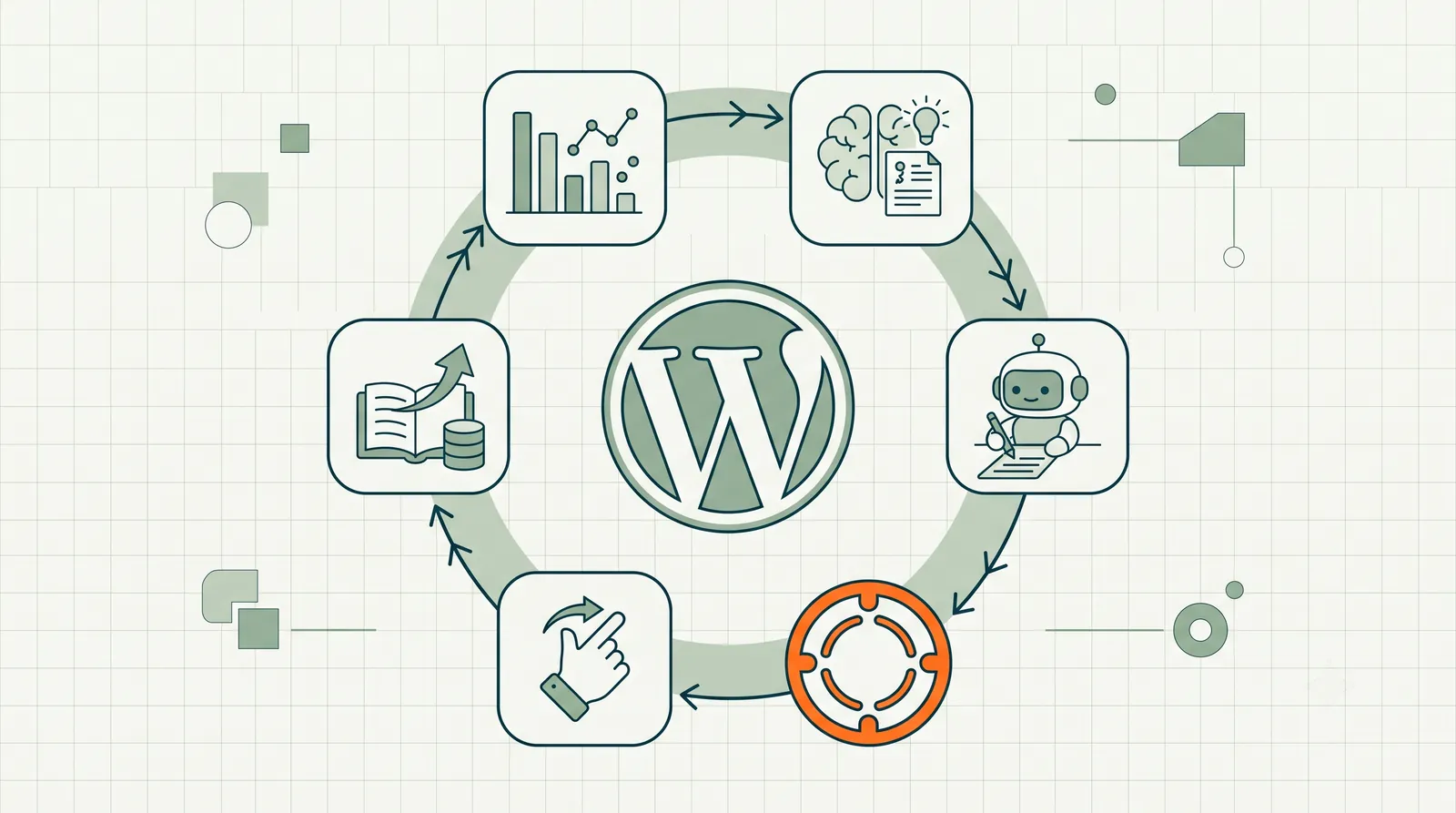
Agentic SEO for WordPress breaks that cycle. Instead of SEO as a periodic project, it becomes a continuous loop: the agent watches your site and your search data, finds the next useful piece of work, drafts the fix, and queues it for your approval. You stay in the decision seat. The agent handles the recurring labor.
This is not a theoretical category. It is a specific workflow pattern that only became practical in the last two years — when LLMs got good enough to draft SEO changes, agent frameworks learned to call APIs, and WordPress's REST API became reliable enough to ship changes programmatically. If you run WordPress and you have connected Google Search Console, you are already halfway to running agentic SEO. The other half is choosing a system that closes the loop from data to shipped fix.
For the conceptual foundation, read What Is Agentic SEO?. This guide is the WordPress-specific implementation: what to connect, what the agent actually does on your site, where it wins, where it fails, and what to do this week.
Last updated: July 3, 2026.
TL;DR
- Agentic SEO for WordPress is a continuous loop: observe search data → prioritize opportunities → draft on-page fixes → human approval → ship via WordPress API.
- WordPress is the best-supported CMS for agentic SEO in 2026 because the REST API, plugin ecosystem, and Search Console integration are mature.
- The biggest wins are on existing pages with impressions — title rewrites, meta updates, schema additions, internal link fixes — not net-new content generation.
- Agentic SEO is not autopilot. Any system that auto-publishes without approval is a liability, not a feature.
- RankHive's WordPress SEO automation implements this full loop with a weekly proposal queue and one-click approval.
Why WordPress is the natural home for agentic SEO
WordPress powers roughly 43% of the web. That market share is not just a statistic — it is an infrastructure advantage for agentic SEO.
Three things make WordPress the cleanest publishing target for an SEO agent today.
The REST API is mature. An agent can read post content, update titles and metas, modify schema blocks, create drafts, and manage redirects through documented endpoints. You do not need FTP access, database credentials, or a developer on retainer. The agent talks to WordPress the same way your block editor does.
The plugin layer is standardized. Yoast, Rank Math, and SEOPress all expose metadata through predictable fields. An agent does not fight the CMS — it writes to the same slots the plugin already manages. The plugin handles sitemaps, canonical tags, and schema validation. The agent handles what those fields should say.
Search Console data maps cleanly to WordPress URLs. Every page in Search Console is a WordPress post, page, or product. The agent can correlate a query-performance signal directly to a specific post_id and draft a targeted fix. No URL-to-resource guessing. No spreadsheet middleman.
Other CMS platforms will catch up. Shopify, Webflow, and headless stacks are building similar pipelines. But in July 2026, if you want the shortest path from "I have search data" to "the fix is live," WordPress is it.

The four loops an agent runs on your WordPress site
Under the hood, a useful WordPress SEO agent runs four continuous loops. They are not sequential tasks on a calendar. They are always on.
1. Observe
The agent pulls live signals:
- Google Search Console. Queries, impressions, clicks, CTR, average position — per page, per query.
- Google Analytics (optional). Traffic, bounce rate, conversion paths — to weight commercial pages higher.
- WordPress site state. Current titles, metas, schema, content length, internal link graph, indexation status.
- Competitive context (optional). SERP features, competitor title patterns, content depth benchmarks.
The observation layer is where most "SEO tools" stop. They give you a dashboard. An agent uses the dashboard as input, not output.
2. Decide
Raw data is noise. The agent's job is to turn noise into a prioritized queue.
Typical prioritization logic for WordPress sites:
- Pages with high impressions and low CTR → title and meta rewrite candidates.
- Pages ranking positions 5–15 for valuable queries → striking-distance optimization.
- Pages with thin content relative to SERP competitors → content expansion drafts.
- Pages with missing or invalid schema → schema block generation.
- Pages with broken or weak internal links → link graph repairs.
- Technical issues surfaced by crawl data → redirect fixes, noindex corrections, canonical mismatches.
The agent ranks these by estimated impact: search volume × commercial intent × feasibility. A page getting 10,000 impressions/month at position 11 for a buying-intent keyword beats a page getting 50 impressions at position 8 for an informational query.
3. Draft
This is where agentic SEO diverges from every dashboard tool on the market.
The agent does not say "consider improving the title." It writes the new title. It does not flag "missing FAQ schema." It drafts the JSON-LD block with six questions and direct answers. It does not report "internal link opportunity." It specifies exactly which anchor text should link from which page to which target.
The draft is a ready-to-review artifact. Your job is judgment, not composition.
4. Coordinate
Approved drafts ship to WordPress via the REST API. Rejected drafts are logged and the agent learns (at minimum) not to repeat that pattern. Pending drafts wait in a review queue.
The coordination layer also handles:
- Change logging. Before state, after state, date, URL, rationale.
- Loop prevention. SaaS-originated edits should not trigger webhook echo loops back to the agent.
- Outcome tracking. Pull +14 day and +30 day Search Console metrics for shipped changes.
WordPress SEO automation is this four-loop system packaged for non-technical site owners. You connect GSC, approve a weekly queue, and the agent handles the rest.
What agentic SEO actually fixes on WordPress
Be specific about scope. An agent in 2026 is strong at bounded, pattern-matching SEO work. It is weak at open-ended strategy.
High-confidence wins:
| Work type | What the agent does | Typical signal |
|---|---|---|
| Title rewrites | Repositions primary keyword, adds CTR modifier | High impressions, low CTR |
| Meta descriptions | Outcome-led copy with keyword inclusion | Low CTR, decent position |
| Schema markup | FAQ, Article, Product, Breadcrumb JSON-LD | Missing or invalid structured data |
| Internal linking | Adds contextual links between related posts | Orphan pages, weak link graph |
| Content refreshes | Expands thin sections on existing pages | Position 8–15, competitor depth gap |
| Redirect management | Creates 301s for moved or merged content | 404s, crawl errors |
Lower-confidence work (human-heavy):
- Net-new pillar content strategy
- Brand voice calibration across the whole site
- Link-building outreach
- Major information architecture overhauls
- Highly regulated content (legal, medical, financial)
The honest framing: an agent handles the recurring execution tier of WordPress SEO. A human (you, a contractor, or an agency strategist) handles the strategic tier. Trying to make the agent do both usually produces mediocre strategy and excellent execution — or excellent strategy and no execution. Pick the split deliberately.
Agentic SEO vs. your existing WordPress SEO plugin
This confusion kills adoption. People think agentic SEO replaces Yoast or Rank Math. It does not.
The plugin is the control panel. It manages sitemaps, canonical tags, schema validation, redirect tables, and the WordPress-level SEO settings. It exposes the fields.
The agent is the operator. It decides what those fields should say, drafts the values, and ships them after approval.
They live at different layers. RankHive runs cleanly next to Yoast, Rank Math, or SEOPress without overlap. You keep your plugin. You add the agent on top.
The mental model: the plugin is the steering wheel. The agent is the driver who suggests turns. You still approve every turn before the wheel moves.
The weekly cadence that compounds
Agentic SEO works because of cadence, not because of any single brilliant fix.
Here is what a healthy weekly loop looks like on a mid-size WordPress site (500–5,000 pages):
Monday. Agent pulls fresh Search Console data. Prioritizes 15–30 opportunities across titles, metas, schema, and internal links.
Tuesday–Wednesday. You review the proposal queue. Approve the obvious wins. Edit the ones that need brand voice tweaks. Reject the ones that miss context.
Thursday. Approved changes ship to WordPress. Change log updates.
Friday. Agent begins monitoring shipped changes for early signal movement.
Next Monday. New data arrives. The loop repeats. Compounding begins.
After 90 days of this cadence, most WordPress sites have shipped 50–150 targeted on-page improvements. Each one is small. Together they move rankings, CTR, and traffic in ways that no single "SEO project" ever does.
The sites that fail at agentic SEO almost always fail for one reason: they stop approving. The agent surfaces work. The queue grows. Nobody reviews it. Three months later they cancel and say "AI SEO doesn't work." The agent worked fine. The approval habit did not.
The WordPress workflow: six steps end to end
Agentic SEO is not a dashboard feature. It is a closed loop from Google data to live WordPress HTML. Here is the workflow WordPress SEO automation implements — and what you can run manually before you automate.
Step 1: Connect. Link Google Search Console to the agent platform. Install and connect the WordPress plugin (RankHive or equivalent). Verify the REST API can read and write post meta, content, and schema fields your SEO plugin manages. Without write access, you are back to copy-paste.
Step 2: Observe. The agent ingests GSC queries, impressions, CTR, and position per URL. It reads WordPress state: current titles, metas, word counts, internal links, schema validity. Observation runs continuously, not when you remember to export a CSV.
Step 3: Prioritize. Raw opportunities score by impact. A page at position 10 with 8,000 impressions outranks a page at position 6 with 200 impressions. Striking-distance keywords, CTR gaps, and missing schema surface as draftable work items — not alerts.
Step 4: Draft. The agent writes the fix: new title text, meta description, JSON-LD block, 200-word content section, internal link specification. You receive artifacts, not advice. This step is what separates agentic SEO from every audit tool you have ever paid for.
Step 5: Approve and ship. Human reviews the queue. Approve, edit, or reject. Approved items push to WordPress via REST API into Yoast/Rank Math fields and post content. Loop prevention stops webhook echo. The change log captures before and after.
Step 6: Verify. At +14 and +30 days, compare GSC metrics for shipped URLs against baseline. Feed results into the next prioritization cycle. Compounding requires verification — otherwise you are guessing every Monday.
Manual agentic SEO is possible on small sites: you perform steps 2–6 yourself with Search Console and wp-admin. Automation pays off when step 4 would consume more hours than you have. See Striking Distance Keywords for WordPress for the highest-ROI starting queue.
Agentic vs. manual vs. service: which loop fits?
| Factor | Manual loop (you + spreadsheet) | Agentic loop (platform) | AI SEO service (agency) |
|---|---|---|---|
| Pages on site | Under 50 | 50–5,000+ | Any |
| Weekly shipped fixes | 3–8 if disciplined | 15–80 with approval | 5–15 if implementation included |
| Your time per week | 4–8 hours | 30–60 minutes reviewing | 1–2 hours reading reports |
| Monthly cost | Free (opportunity cost) | $79–$199 typical | $1,500–$3,000+ |
| Strategy included | Only if you have it | Execution only | Usually yes |
| Change log / proof | DIY spreadsheet | Built-in | Varies — often reports only |
| Best for | Hobby sites, SEO enthusiasts | Data-rich WordPress sites | Brand-heavy, strategy-first sites |
The agent row is not "better" than the service row. It is cheaper execution with explicit trade-offs. Most mature WordPress sites in 2026 land on agent plus quarterly human strategy — the hybrid described in AI SEO Service vs. AI SEO Agent.
Mini case study: SaaS blog, 840 posts, one marketer
A B2B SaaS company ran WordPress for their content hub: 840 posts, 22,000 monthly organic clicks, one marketer who also owned paid ads, email, and events. SEO was "check Search Console when traffic dips."
They connected WordPress SEO automation in February 2026 with Rank Math already installed. Exclusions: homepage, pricing, legal, and anything tagged product-launch-2026.
Week 1. Agent surfaced 44 opportunities — mostly striking-distance title rewrites on posts from 2022–2024 that still earned thousands of impressions at positions 8–14.
Week 8. 96 changes shipped. Marketer spent ~35 minutes per week in the approval queue — usually Tuesday morning before standup.
Day 90. Organic clicks up 19% without a single new post published. Top wins: eight posts moved from page two to page one on commercial-intent queries. Three FAQ schema additions earned rich results. Internal link additions boosted orphan posts into the crawl path.
The marketer did not become an SEO expert. She became an SEO approver — which is the correct role for a generalist marketer on a large WordPress catalog. Agentic SEO did not replace her judgment. It replaced the 200 hours of drafting she was never going to find.
Who agentic SEO for WordPress is for
Solo WordPress owners who cannot afford a full-time SEO but have enough Search Console data to act on (roughly 500+ monthly clicks). The agent replaces the SEO operator you cannot hire.
Small in-house marketing teams where one person wears five hats. The agent handles the recurring on-page tier so the marketer can focus on content strategy and campaigns.
Agencies managing multiple WordPress client sites. One approval queue per site. The agent scales execution without scaling headcount linearly. (See the dedicated agency guide coming in this series.)
Content-heavy WordPress sites — publishers, SaaS blogs, resource libraries — where the back catalog has hundreds of pages with decaying rankings and nobody has time to refresh them manually.
Who should wait
Brand-new sites with no Search Console data. Under a few hundred monthly clicks, the agent has nothing to prioritize. Write your first wave of content. Connect the agent when there is signal.
Sites where every word is legally reviewed before publication. The agent can still handle technical SEO and metadata. Body content drafts need a domain expert in the loop at the draft stage, not just at approval.
Teams with a dedicated SEO who loves the manual loop. If your SEO produces strong weekly output and enjoys the work, adding an agent may feel like a downgrade in authorship. Use AI to speed up that person's workflow instead.
What to do this week
- Connect Google Search Console to your WordPress site if you have not already. Verify ownership. Wait for 28 days of data if the property is new.
- Pick five striking-distance pages — positions 5 to 15 in Search Console for queries with real volume. Manually draft a title and meta improvement for each. Ship them. Track CTR over 30 days.
- If the manual loop felt valuable but tedious, formalize it with WordPress SEO automation. Connect GSC, review the first proposal queue, approve three changes, and measure outcomes.
- Read the pillar — What Is Agentic SEO? — if you want the category-level mental model before going deeper on WordPress specifics.
The agent pattern compounds. The manual project pattern decays. Pick the loop that matches how you actually work.
FAQ
What is agentic SEO for WordPress?
It is the practice of using an AI agent to continuously monitor your WordPress site's search performance, draft on-page SEO improvements, and ship them after your approval. The agent handles the recurring work. You handle judgment.
Do I need to replace my SEO plugin?
No. Agentic SEO runs on top of your existing plugin (Yoast, Rank Math, SEOPress). The plugin manages WordPress-level SEO settings. The agent decides what those settings should be.
How is this different from ChatGPT for SEO?
ChatGPT is a tool you prompt for one-off tasks. An agent is a process that runs continuously on your site — pulling Search Console data, prioritizing work, drafting fixes, and shipping to WordPress without you initiating each task.
Will an agent auto-publish changes without asking?
It should not. Any credible agentic SEO system for WordPress requires human approval before changes go live. Auto-publishing without a review gate is a feature you should refuse, not enable.
How much Search Console data do I need before an agent is useful?
Roughly 500+ monthly clicks gives the agent enough signal to prioritize meaningfully. Below that, focus on creating content and building initial visibility. Add the agent when there is data to act on.
Can agentic SEO work on WooCommerce stores?
Yes. Product pages, category pages, and store content all flow through the same WordPress REST API. Product schema, category descriptions, and thin product copy are high-value agent targets. See WooCommerce SEO automation for the ecommerce-specific guide.
How do I measure if the agent is working?
Tag every shipped change with date and URL. Compare +14 day and +30 day Search Console metrics (position, CTR, clicks) for affected pages against their pre-change baseline. The proof is in the deltas, not the dashboard.
Is agentic SEO the same as GEO or AEO?
No. GEO and AEO describe optimizing for AI-generated search results. Agentic SEO describes using AI to do the optimization work. Different layers. You can do both.
Related reading
- What Is Agentic SEO? AI SEO Agents Explained
- SEO AI Agent: What It Is, How It Works, and Who It Is For
- WordPress SEO Automation for Agencies
- From GSC Data to Shipped WordPress Fixes
- WordPress SEO Plugin vs. SEO Agent
Ready to run the loop on your WordPress site? Try RankHive's WordPress SEO automation — connect Search Console, review weekly proposals, and ship approved fixes without leaving the dashboard.