
Every agency has the same dirty secret about WordPress SEO: the work does not scale linearly with clients.
You onboard a new WordPress site. You run the audit. You write the recommendations. You ship the first wave of fixes. The client is happy. Three months later, the site has 40 more pages, Search Console has new striking-distance opportunities, and your account manager is asking why rankings flatlined. You pull a report. You write more recommendations. The client approves half of them. Your junior ships what they can. The rest sit in a shared doc until someone remembers.
Multiply that by twelve client sites and you have an agency where senior strategists spend 60% of their time on recurring execution instead of strategy. That is not a business model. That is a treadmill.
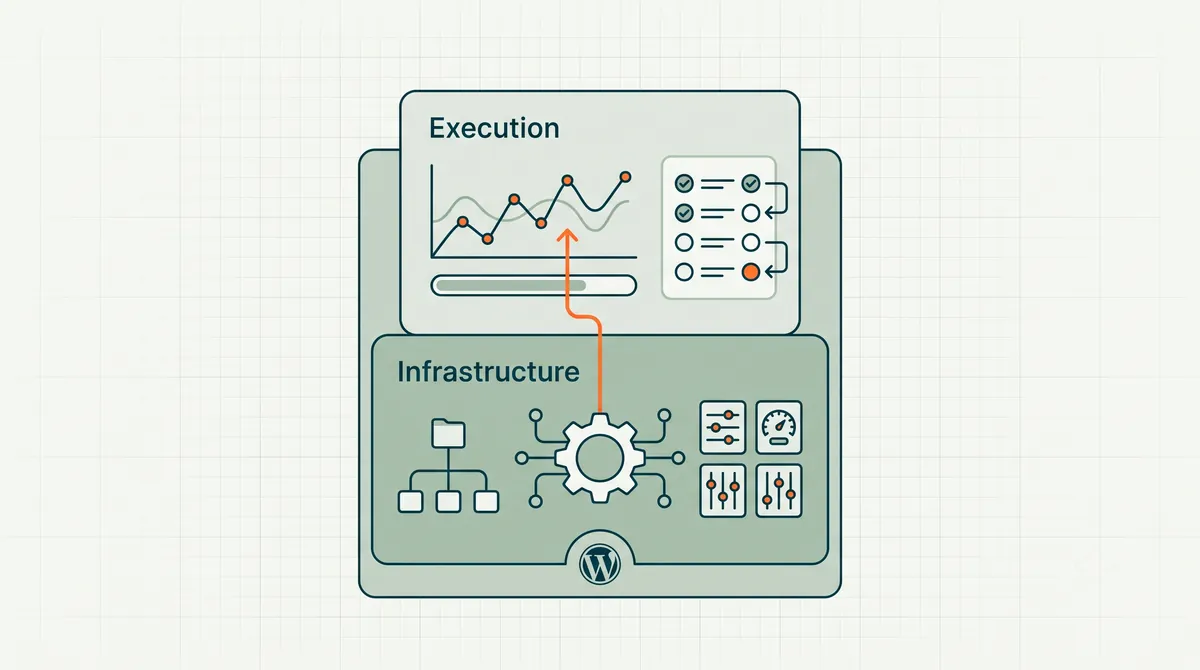
WordPress SEO automation for agencies is the exit ramp. Not automation that emails prettier reports — automation that drafts and ships on-page fixes, with your team in the approval seat on each site. The agency keeps the strategy layer. The agent handles the recurring execution layer.
One expectation to set before you read further: the tooling in this category, RankHive included, is generally licensed per site, not per portfolio. There is no single dashboard spanning twenty clients — each site is its own subscription, its own connection, and its own approval queue. That is a real operational cost and it is better known now than discovered during onboarding.
This guide is the operational playbook: what to automate, what to keep human, how to structure client approval, and which tools actually close the loop from data to shipped fix. For the tool landscape, see Best SEO Automation Software for WordPress. For the WordPress-specific agent pattern, see WordPress SEO automation.
Last updated: October 15, 2026.
TL;DR
- Agency SEO breaks at the execution layer, not the strategy layer. Automation should ship fixes, not just surface them.
- The winning agency model in 2026: agent for recurring on-page work, human for strategy and client relationships.
- Multi-site WordPress automation requires per-client approval queues, change logging, and white-label reporting — not a single shared dashboard.
- Rank tracking and reporting automation are table stakes. Agentic on-page automation is the differentiator that lets you add clients without adding SEO headcount.
- Start with 2–3 pilot clients. Prove the loop. Then roll out across the portfolio.
The agency SEO bottleneck nobody talks about
Agencies sell strategy. Clients buy results. The gap between those two things is execution — and execution is where margins die.
Consider a typical agency WordPress SEO engagement:
- Month 1. Audit, recommendations, initial fixes. High touch. Client impressed.
- Month 2–3. Ongoing optimization. Title rewrites, meta updates, internal links, content refreshes. Medium touch. Results start showing.
- Month 4+. Maintenance mode. The exciting work is done. What remains is the weekly grind: check Search Console, find opportunities, draft changes, get client approval, ship fixes. Low touch per task. Enormous in aggregate across clients.
Most agencies handle month 4+ in one of three broken ways:
- Ignore it. Rankings decay. Client churns at renewal.
- Throw juniors at it. Quality varies. Mistakes happen. Seniors review everything anyway, so you saved no senior time.
- Automate reporting only. Client gets a prettier dashboard. Nobody ships fixes faster.
The fourth way — the one that actually works — is agentic execution automation. The agent runs the month-4 grind. Your strategist reviews a weekly queue per client. Approved fixes ship to WordPress. The client sees results without you billing 15 hours of junior time.
What to automate vs. what to keep human
Not everything in agency SEO should be automated. Getting the split wrong is how you lose client trust.
Automate (high confidence, recurring, pattern-matching)
| Task | Why automate | Human role |
|---|---|---|
| Title and meta rewrites | High volume, data-driven, draftable | Approve or edit for brand voice |
| Schema markup | Technical, repetitive, error-prone when manual | Spot-check complex types |
| Internal link additions | Graph analysis at scale | Reject links that break editorial intent |
| Striking-distance optimizations | Clear signal from Search Console | Prioritize by client business goals |
| Content refresh drafts | Pattern-matching against SERP competitors | Edit for brand and accuracy |
| Technical redirect fixes | Rule-based, low judgment | Approve before shipping |
| Weekly performance summaries | Templated from GSC data | Add strategic commentary |
Keep human (low confidence, high judgment, relationship-dependent)
| Task | Why keep human | Agent role |
|---|---|---|
| Content strategy and editorial calendar | Requires brand and market understanding | Surface content gap data as input |
| Link-building outreach | Relationship and reputation sensitive | Identify link opportunity pages |
| Major site architecture changes | High risk, irreversible without careful planning | Flag crawl issues as signals |
| Client communication and reporting narrative | Trust and retention | Provide data for the narrative |
| Competitive positioning decisions | Business strategy, not SEO tactics | Provide SERP and keyword data |
| New client onboarding and goal-setting | Relationship foundation | Run initial audit after goals are set |
The rule of thumb: if the task has a clear input signal (Search Console data, crawl error, schema validator) and a bounded output (one title rewrite, one schema block), automate it. If the task requires understanding why the client's business matters to their customers, keep it human.
The multi-site architecture agencies need
What follows is a requirements list to evaluate vendors against, not a description of what the market currently ships.
Worth being blunt about the gap: for most tools in this category today, running automation across twelve clients genuinely is "use the same tool twelve times" — twelve subscriptions, twelve workspaces, twelve queues. RankHive is one of those tools. The requirements below are what you should be asking for and, where a vendor does not meet them, what you should be budgeting operational time to work around.
Per-client isolation
Each client site needs:
- Its own Search Console connection
- Its own WordPress plugin connection (REST API credentials)
- Its own approval queue
- Its own change log
- Its own performance baseline
Shared dashboards that mix client data are a compliance nightmare and an operational mistake. Your account manager should never approve a title rewrite on Client A's site while thinking they are reviewing Client B's queue.
Role-based approval
Not every change needs the same approver:
- Auto-queue, human-approve. The default for all on-page changes. Agent drafts. Human approves. Ships.
- Strategist-approve. High-impact changes (homepage title, category page restructure) route to the senior SEO on the account.
- Client-approve (optional). Some clients want to sign off on every change. Build this into the workflow upfront, not as an afterthought.
The worst agency setup is one where the agent ships changes and the client finds out from their rankings shifting. Approval routing is a client communication decision, not a technical one.
White-label reporting
Clients do not care that you use RankHive, Semrush, or a spreadsheet. They care that rankings improved and they understand why.
Your automation stack should export:
- Changes shipped this period (URL, before, after, date)
- Performance deltas for shipped changes (+14 day, +30 day)
- Queue status (pending approvals, rejected items)
- Strategic recommendations that still need human execution
Layer your agency's narrative on top of the data export. The automation provides the evidence. You provide the story.
Billing alignment
If you bill clients for "15 hours of SEO work per month" but an agent does 12 of those hours, your billing model needs to evolve. Options:
- Shift to outcome-based pricing. Monthly retainer tied to performance metrics and shipped change volume.
- Tiered service levels. Basic (reporting only), Standard (agent + strategist review), Premium (agent + strategist + client approval + strategy calls).
- Transparent hybrid. Bill for strategist time. Include agent execution as infrastructure cost. Clients pay for judgment, not keystrokes.
The agencies that hide automation from clients and bill manual hours are playing a game that ends the moment the client discovers ChatGPT. The agencies that sell "we run a continuous optimization loop on your site" are selling something clients cannot replicate with a subscription to a dashboard tool.
Tool stack for agency WordPress SEO automation
No single tool does everything. Here is a realistic 2026 stack for an agency managing 10–30 WordPress client sites.
| Layer | Purpose | Example tools |
|---|---|---|
| Agentic on-page execution | Draft and ship fixes after approval | RankHive |
| Rank tracking | Directional position monitoring | SE Ranking, AccuRanker |
| Reporting / white-label dashboards | Client-facing performance views | AgencyAnalytics, Whatagraph |
| Technical crawl | Scheduled issue detection | Screaming Frog, Ahrefs Site Audit |
| Keyword research | Strategy input for content planning | Semrush, Ahrefs, DataForSEO |
| Project management | Client communication and task tracking | Asana, Monday, ClickUp |
The agentic layer is the one most agencies are missing. They have rank tracking and reporting. They have crawl tools. They do not have anything that closes the loop from "Search Console shows a CTR problem on this URL" to "the new title is live on WordPress."
That gap is where margins die. Our best SEO automation software list ranks the full landscape if you want to compare options before committing.
The 90-day agency rollout plan
Do not flip every client to agentic automation on day one. Roll it out in three phases.
Phase 1: Pilot (days 1–30)
Pick 2–3 WordPress clients who:
- Have connected Search Console with 6+ months of data
- Run on standard WordPress (not heavy custom builds)
- Have a responsive point of contact for approvals
- Are on month 4+ of their engagement (past the initial audit excitement)
Connect the agent. Run one full weekly cycle per client. Measure:
- Time your strategist spends reviewing vs. time they used to spend doing the work manually
- Number of changes shipped per client per week
- Client reaction to the approval queue (too many proposals? too few?)
Phase 2: Refine (days 31–60)
Adjust based on pilot data:
- Tune approval routing (which changes need strategist vs. account manager review)
- Set client-specific rules (brand voice constraints, pages the agent should never touch)
- Build your white-label reporting template around agent output
- Document the workflow for your team (this is your SOP, not the tool's)
Add 3–5 more clients. Same measurement.
Phase 3: Scale (days 61–90)
Roll out to the full WordPress portfolio. Assign one strategist to oversee agent queues across all clients rather than one SEO per 3–4 clients doing manual work.
At this point your unit economics should show:
- More clients per strategist
- More changes shipped per client per month
- Stable or improving client retention (because results compound)
If any of those three metrics did not move, the problem is workflow design, not the tool. Revisit approval routing and client communication before blaming the agent.
The agency WordPress workflow (weekly per client)
Every client site runs the same loop. The agency's job is to batch review, not to manually execute each fix.
| Day | Agency action | Client touchpoint | Output |
|---|---|---|---|
| Audit day | Agent pulls GSC per client; queues draft proposals | None (automatic) | Per-client approval queue |
| Review day | Strategist reviews Client A + B queues | Optional Slack ping if high-impact homepage change | Approved/rejected items |
| On approval | Approved changes ship to WordPress via API | None (automatic) | Change log updated |
| Wednesday | Account manager checks client-approve accounts | Email digest for clients who require sign-off | Client approvals logged |
| Friday | Record weekly shipped changes for internal tracking | None | Internal ops report |
| Month-end | +30 day GSC verification on shipped URLs | White-label report with before/after | Client deliverable |
Queue review. Open the client's isolated approval queue. Scan evidence: query, position, impressions. Approve title/metas that match brand voice guidelines documented at onboarding. Route homepage and pricing changes to senior strategist.
Client-approve accounts. Some clients want sign-off on every change. Build this into routing at onboarding — not as a surprise in month 3. Send a weekly digest with plain-language summaries: "We proposed shortening the meta on your Services page because CTR is 0.7% at position 4."
Month-end reporting. Pull shipped changes from the change log: URL, field, before, after, ship date. (RankHive has no export; copy them from its Change Log.) Layer GSC deltas at +30 days. Add two paragraphs of strategic commentary. The automation provides evidence; the agency provides narrative.
Connect each client site to WordPress SEO automation (product hub) with separate GSC and plugin credentials. For tool evaluation before rollout, see best SEO automation software. For the agentic mental model behind the execution layer, see the Agentic SEO for WordPress pillar.
Worked example: a 12-client agency pilot
This is an illustrative scenario, not a customer result. Picture a regional digital agency managing WordPress SEO for 12 clients averaging 120 pages each. Month-4 maintenance is drowning their one senior SEO and two juniors: each client gets a monthly "optimization recommendations" PDF, and most of the listed fixes expire unshipped.
Pilot (2 clients, 30 days). They connect WordPress SEO automation on two month-6+ clients with strong GSC history — one RankHive subscription per site. They run full weekly approval cycles and record three things: strategist review time per client, changes shipped per client, and which proposals get discarded and why.
Decision at day 30. If review time is lower than the old manual execution and shipped volume is higher, they add clients one subscription at a time. If not, they fix the workflow (who reviews, and when) before blaming the tool.
The pitch they are working toward: "we run a continuous optimization loop on your WordPress site with full change transparency." That is a defensible moat against clients who think ChatGPT replaces an agency.
Common agency mistakes with SEO automation
Mistake 1: Automating reporting and calling it automation. Your client already had a dashboard. Now they have a prettier dashboard. Nothing shipped. Rankings do not move because of dashboards.
Mistake 2: No approval gate. Auto-publishing across client sites is how you lose accounts. Every change gets human review. Period.
Mistake 3: Hiding the agent from the client. Transparency builds trust. "We run a continuous optimization agent on your site and review every change before it goes live" is a selling point, not a secret.
Mistake 4: Using the agent on clients with no data. New sites, sites with 50 clicks/month — the agent has nothing to prioritize. Onboard manually. Add the agent when there is signal.
Mistake 5: Skipping the strategy layer. The agent executes. It does not replace quarterly strategy reviews, competitive analysis, or content planning sessions. Clients who only get agent execution without strategy will churn when a competitor out-maneuvers them at the positioning level.
The agency arbitrage nobody discusses
Here is the uncomfortable math for agencies still selling manual WordPress SEO in 2026.
A junior SEO costs $45,000–$55,000 fully loaded. They can manually optimize roughly 8–12 client sites per month if they are fast and the sites are small. That is $3,750–$6,875 in labor cost per client per month before overhead, tools, and margin.
An agentic platform costs $79–$199 per client site per month. It surfaces 30–80 draftable opportunities weekly. A strategist reviews the queue in 30–45 minutes per client per week. One strategist can oversee 15–20 client agent queues.
The arbitrage: one senior strategist reviewing drafted work covers accounts that would otherwise need several junior SEOs producing it. Agent subscriptions are the smaller number in that equation — at RankHive's $49.99 per site per month, twenty client sites is $11,997.60 a year, about a quarter of one junior's $45,000–$55,000 fully loaded cost. The cost that matters is the strategist's time, and the question is whether their hours go to review or to production.
Be careful with the framing when you take it to clients, though. "We replaced people with software" is a hard sell and often untrue in practice. What actually happens is that the fixes everyone agreed on in March ship in March instead of never.
Agencies that understand this math are quietly restructuring. Agencies that do not are billing the same retainers while hoping clients do not notice the report-to-shipped-change ratio.
The ones that win will be transparent: "We run an optimization agent on your site. Our strategist reviews every change. Here is the change log." That is a better pitch than "we have 15 years of experience" — because the change log is proof, and experience without a log is a claim.
What to do this week
- Audit your current client portfolio. How many WordPress clients are in "month 4+" maintenance mode? That number is your automation opportunity.
- Pick two pilot clients with strong Search Console data and responsive contacts.
- Connect WordPress SEO automation on both pilots. Run one weekly approval cycle.
- Time the difference. How long did review take vs. how long manual execution would have taken?
- Read the tool comparison — Best SEO Automation Software for WordPress — if you are still evaluating which execution layer to build on.
FAQ
Can one SEO strategist manage more clients with automation?
Yes — if automation handles the recurring execution tier. A strategist reviewing agent proposal queues across 10–15 clients is realistic. A strategist manually executing SEO across 10–15 clients is not.
Do clients need to know we use an AI agent?
You should tell them. Frame it as infrastructure: "We run a continuous optimization system on your site. Every change is reviewed by our team before it goes live." Clients respect efficiency. They do not respect billing manual hours for work a system does.
What if a client rejects most agent proposals?
Give the agent more client-specific context: brand voice guidelines and keyword priorities. Where the tool has no exclusion setting (RankHive does not), keep a written list of pages whose proposals you discard. High rejection rates usually mean the agent lacks client-specific context, not that automation is wrong for the account.
Does this work for non-WordPress clients?
This guide is WordPress-specific because the REST API makes it the cleanest target. Shopify and Webflow clients need different execution layers. Keep the strategy/execution split principle. Swap the shipping mechanism.
How does this affect agency pricing?
Shift toward outcome-based or tiered pricing. Clients pay for results and judgment, not hours. The agent reduces your cost per client. That margin is yours to keep or pass through as competitive pricing.
Can we white-label the agent's approval interface?
Not with RankHive — it has no white-label option or client portal. You can set up a team workspace per client site and invite members (roles are owner and member only). Evaluate whether the tool's multi-tenant model fits your agency structure before committing.
What about clients with strict compliance requirements?
Route all agent drafts through a compliance review step. The agent can still handle metadata and technical SEO. Body content drafts need domain expert review at the draft stage, not just at approval.
How do we onboard a new client into the agent workflow?
Month 1 stays manual: audit, strategy, initial fixes, brand voice documentation. Connect the agent at month 2–3 when GSC has enough signal and exclusion lists are written down. Rushing automation before goals are set produces high rejection rates and client confusion.
Related reading
- Best SEO Automation Software for WordPress
- WordPress SEO Automation
- Agentic SEO for WordPress
- From GSC Data to Shipped WordPress Fixes
- When an SEO Agent Should Never Auto-Publish
Your job across the portfolio is a weekly pass on every client site without adding headcount. Run it by hand with the workflow above, or let RankHive's WordPress SEO automation find the fixes on each site and ship them after your team approves them, with every change logged for the client report.